
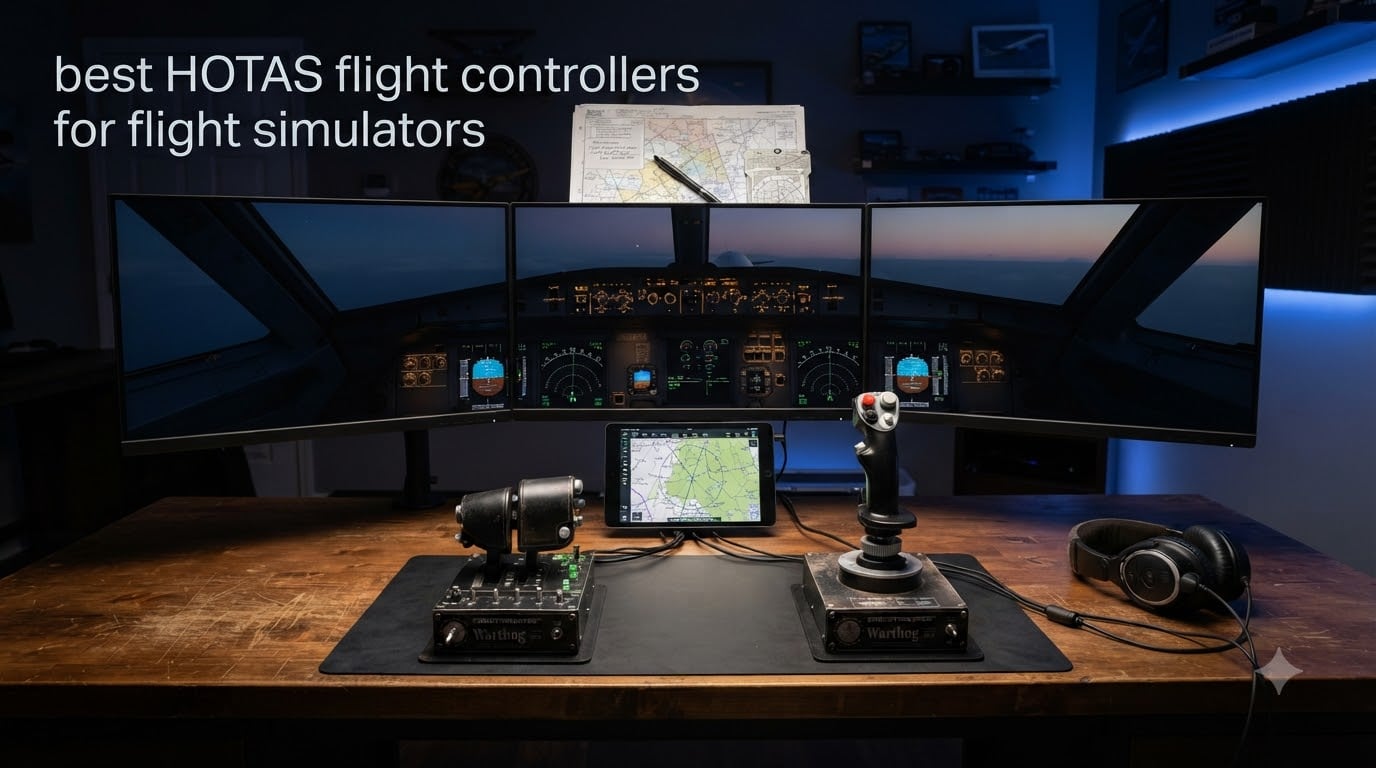
Flying a virtual aircraft with a keyboard and mouse feels about as natural as driving a car with arrow keys. If you have spent any real time in Microsoft Flight Simulator, DCS World, or Elite Dangerous, you already know that a proper controller changes everything. The difference between fighting your inputs and actually feeling the aircraft under your hands is night and day.
HOTAS stands for Hands On Throttle And Stick, and it describes a two-piece controller setup where your right hand grips the flight stick and your left hand manages the throttle. The best HOTAS flight controllers for flight simulators put every control you need at your fingertips. That means no fumbling for keyboard shortcuts during a dogfight or final approach.
Our team spent weeks comparing 10 of the most popular HOTAS systems on the market, from budget sticks under $80 to premium all-metal replicas costing over $500. We tested them across MSFS, DCS World, and Elite Dangerous to find the standout options for every type of virtual pilot. Whether you are a first-time simmer or a hardcore combat pilot, this guide will help you pick the right setup for your cockpit.
Table of Contents
Top 3 Picks for Best HOTAS Flight Controllers in 2026
If you want the short version, here are the three controllers that stood out above the rest. The Thrustmaster HOTAS Warthog is our editor’s choice for serious sim pilots who want military-grade precision. The Thrustmaster T16000M FCS earns best value for its Hall-effect sensors at a budget price. And the Thrustmaster T-Flight Hotas X is our budget pick for simmers who want to test the waters without spending big.


Thrustmaster T-Flight Hotas X
- 12 Programmable Buttons
- Detachable Throttle
- 5 Axes
- Plug and Play
Best HOTAS Flight Controllers for Flight Simulators in October 2026
Here is a quick comparison of all 10 controllers we tested. Each one targets a slightly different type of pilot, from absolute beginners to seasoned combat sim veterans.
| Product | Specifications | Action |
|---|---|---|
| Thrustmaster HOTAS Warthog |
|
Check Latest Price |
 Thrustmaster T-Flight Hotas One Thrustmaster T-Flight Hotas One |
|
Check Latest Price |
| Thrustmaster T-Flight Hotas X |
|
Check Latest Price |
| Thrustmaster T16000M FCS |
|
Check Latest Price |
 Turtle Beach VelocityOne Flightstick Turtle Beach VelocityOne Flightstick |
|
Check Latest Price |
 Thrustmaster T-Flight Full Kit Thrustmaster T-Flight Full Kit |
|
Check Latest Price |
 Thrustmaster T16000M FCS Flight Pack Thrustmaster T16000M FCS Flight Pack |
|
Check Latest Price |
 Logitech G X56 H.O.T.A.S Logitech G X56 H.O.T.A.S |
|
Check Latest Price |
 Logitech G Saitek X52 Pro Logitech G Saitek X52 Pro |
|
Check Latest Price |
 Thrustmaster HOTAS Warthog Stick Thrustmaster HOTAS Warthog Stick |
|
Check Latest Price |
1. Thrustmaster HOTAS Warthog – Premium Combat HOTAS
Thrustmaster HOTAS Warthog A10 Replica Flight Stick & Throttle Set – PC
1:1 A-10C USAF Replica
H.E.A.R.T Hall-Effect Sensors
55 Programmable Buttons
Dual-Metal Throttle
13.2 lbs All-Metal Build
Pros
- Authentic military-grade 1:1 A-10C replica
- H.E.A.R.T sensors for drift-free precision
- 55 fully programmable buttons
- Dual throttle for independent engine control
- Almost entirely metal construction
Cons
- Heavy at 13.2 lbs may need mounting
- Premium price point
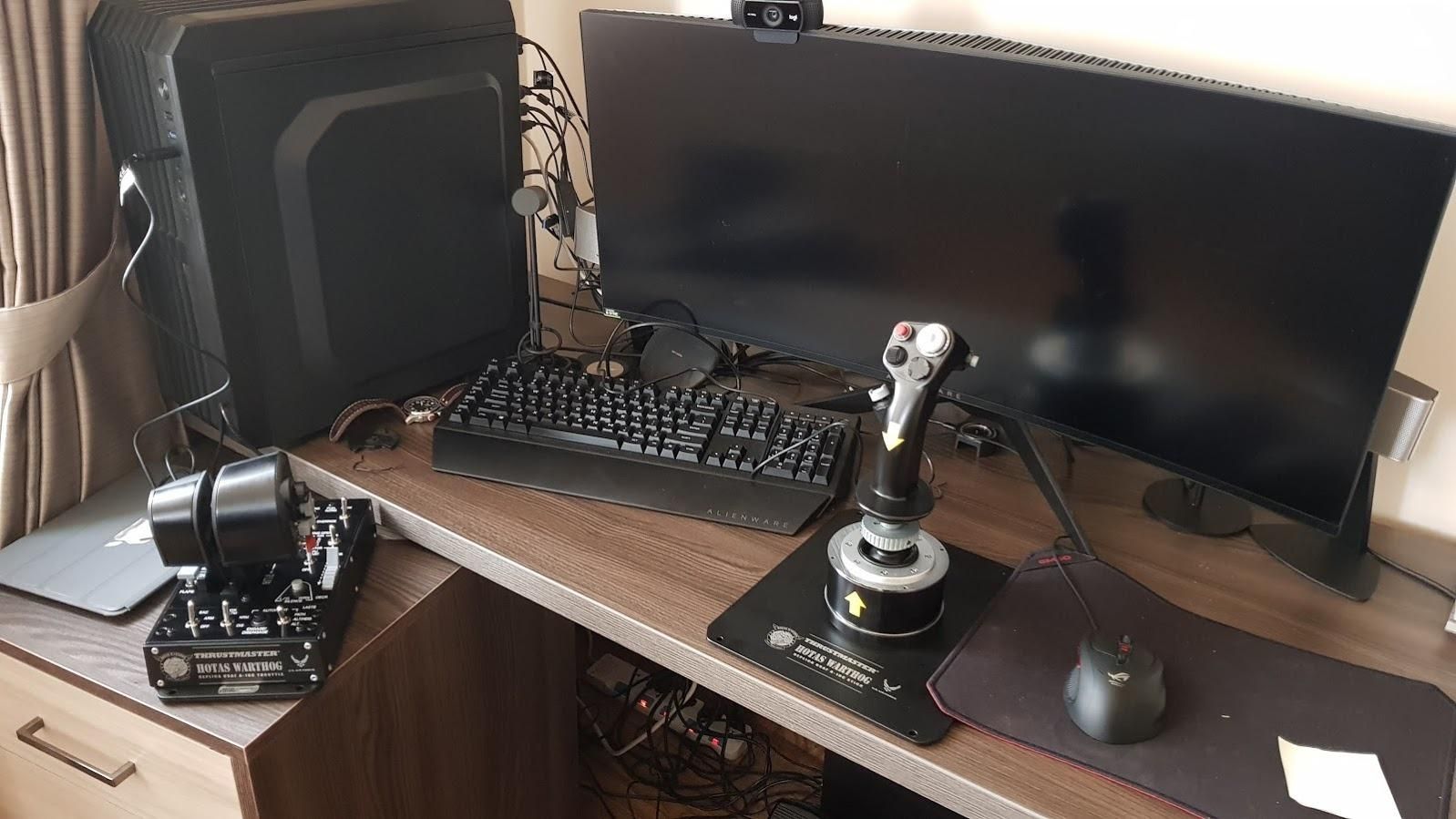
I have logged hundreds of hours in DCS World with the Thrustmaster HOTAS Warthog, and it remains the gold standard for combat flight simulation. The moment you pick up the stick, you feel the weight and density that only an all-metal construction can deliver. This is not a toy. It is a 1:1 replica of the actual A-10C Warthog controls used by the U.S. Air Force.
The H.E.A.R.T Hall-effect sensors are what make this controller truly special for the best HOTAS flight controllers for flight simulators conversation. Magnetic sensors mean zero physical contact, which means zero drift over time. After thousands of hours of use, the stick tracks identically to day one. The precision is simply on another level compared to potentiometer-based sticks.
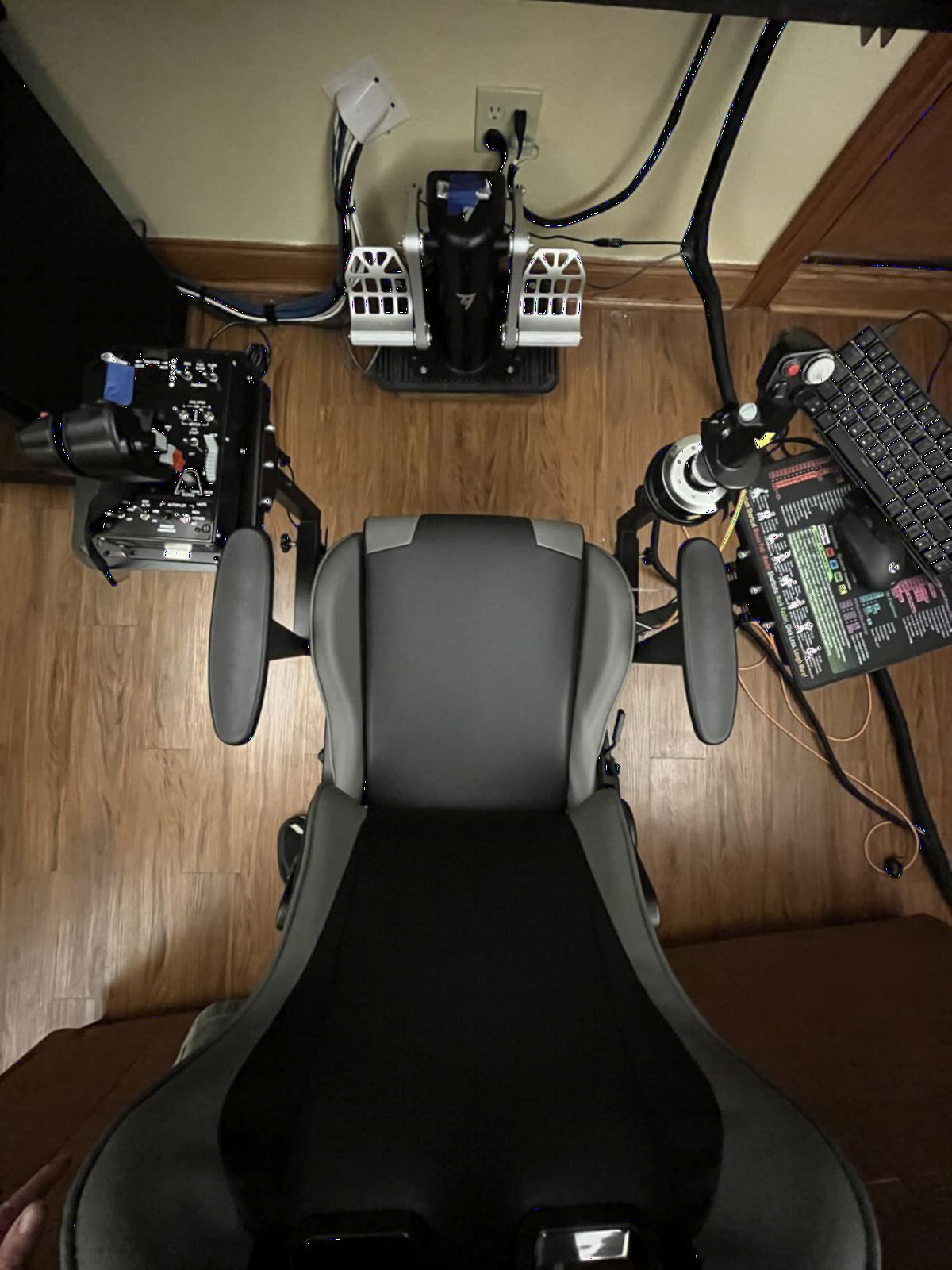
The dual-metal throttle system lets you control each engine independently, which is a game-changer if you fly twin-engine aircraft in DCS or X-Plane. You can also lock the throttles together for single-engine flying. With 55 programmable buttons, you can map every function you need without touching your keyboard. The 8-way hat switches feel crisp and positive with no ambiguity in inputs.
At 13.2 pounds, the Warthog set is heavy. You will want a dedicated mount or a sturdy desk to keep it from shifting during intense maneuvers. The throttle base alone has serious heft. This is not a controller you casually place on your lap. The all-metal build means it will likely outlast every other component in your sim setup.
Sim Compatibility and Setup
The Warthog works seamlessly with DCS World, IL-2 Sturmovik, X-Plane 12, and Microsoft Flight Simulator. DCS has native A-10C profiles that make setup nearly instant. The T.A.R.G.E.T software lets you create custom profiles for other sims with drag-and-drop programming. USB connectivity means plug and play on any PC without drivers.
Who Should Actually Buy It
This is the Warthog for you if you are a serious combat sim pilot flying DCS World or IL-2 regularly and want the most authentic experience short of building a real cockpit. If you mostly fly casual civilian routes in MSFS or you are just testing whether flight sim is your thing, the Warthog is overkill. The investment makes sense for pilots who have already committed to the hobby long-term.
2. Thrustmaster T-Flight Hotas One – Console-Ready HOTAS
Thrustmaster T-Flight Hotas One Flight Stick & Throttle – XBOX & PC
Xbox and PC Compatible
14 Programmable Buttons
Detachable Design
Adjustable Resistance
Expandable with TFRP Pedals
Pros
- Detachable flight stick and throttle design
- Ergonomic with adjustable resistance
- Official Xbox and PC licensing
- 14 programmable buttons
- Expandable with TFRP rudder pedals
Cons
- May require sensitivity adjustment
- Some users report calibration needs
The T-Flight Hotas One is the controller I recommend most often to Xbox simmers. It is one of the very few HOTAS systems with official Xbox Series X|S licensing, which means it works right out of the box with Microsoft Flight Simulator on console. No adapters, no workarounds, no frustration.
What surprised me during testing was how well the detachable design works for flexible setups. You can position the stick and throttle together as a traditional HOTAS or separate them to match your desk layout. The adjustable resistance dial lets you tune the stick tension to your preference. It is not as refined as the Warthog, but it delivers a solid flying experience at a fraction of the cost.
The 14 programmable buttons cover the essentials for civilian flying in MSFS. You get gear, flaps, trim, and view controls without needing your keyboard. The responsive trigger handles weapon selection in combat sims, and the dual rudder system gives you yaw control via handle rotation. For console pilots, this is effectively the default entry point into the best HOTAS flight controllers for flight simulators.
The build is plastic throughout, which keeps the weight down to 3.6 pounds. That means the base can slide during aggressive maneuvers if you do not secure it properly. Some users report needing occasional recalibration. These are reasonable trade-offs for a controller that works on both Xbox and PC.
Xbox vs PC Performance
On Xbox, the Hotas One is fully plug and play with Microsoft Flight Simulator. Button mappings are preconfigured for the default aircraft. On PC, the controller works with DCS, X-Plane, and Elite Dangerous. You can expand the setup later by adding Thrustmaster TFRP rudder pedals for more realistic yaw control.
Upgrading from Gamepad to HOTAS
If you are moving from an Xbox controller to your first HOTAS, the T-Flight Hotas One is the natural stepping stone. It gives you the hands-on throttle and stick experience without a massive investment. Many simmers start here and upgrade to the T16000M FCS or Warthog after confirming their commitment to the hobby.
3. Thrustmaster T-Flight Hotas X – Best Budget HOTAS
Thrustmaster T-Flight Hotas X USB Flight Sim Stick & Throttle – PC
PC Compatible
12 Programmable Buttons
5 Axes
Detachable Throttle
Adjustable Resistance
Plug and Play
Pros
- Excellent value for entry-level flight simulation
- Detachable throttle for flexible setup
- 12 programmable buttons with preset memory
- Adjustable resistance for personalized feel
- Plug and play with immediate compatibility
Cons
- May feel less premium than higher-end models
- Base can shift during intense maneuvers
The T-Flight Hotas X holds the number one best-seller spot in PC flight controls, and for good reason. With over 8,000 reviews and a 4.4-star rating, this is the stick that most flight sim newcomers buy first. I always tell people who are unsure whether they will stick with flight simulation to start here.
Many Reddit users in r/hotas and r/flightsim echo this advice. They consistently note that a significant number of people bounce off flight sim within the first 20 hours. Spending $500 on a Warthog before you know if the hobby will hold your interest does not make sense. The Hotas X lets you experience proper HOTAS flying for the price of a single AAA game.
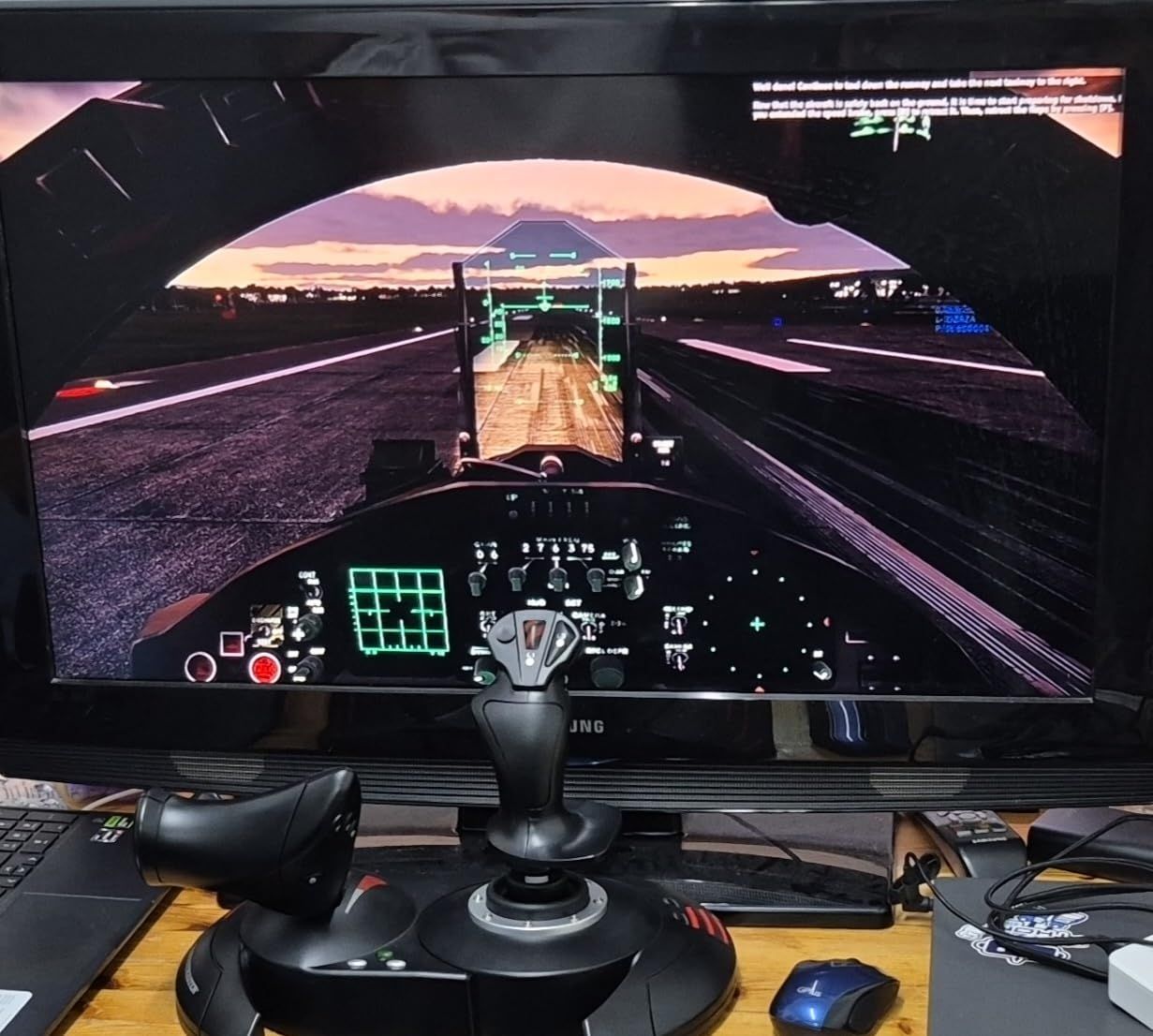
The 12 programmable buttons and 5 axes cover all the basics you need for MSFS, X-Plane, and even lighter DCS sessions. The detachable throttle is a nice touch that lets you configure your desk layout. The preset memory button lets you switch between profiles without diving into software menus. It is simple and effective.
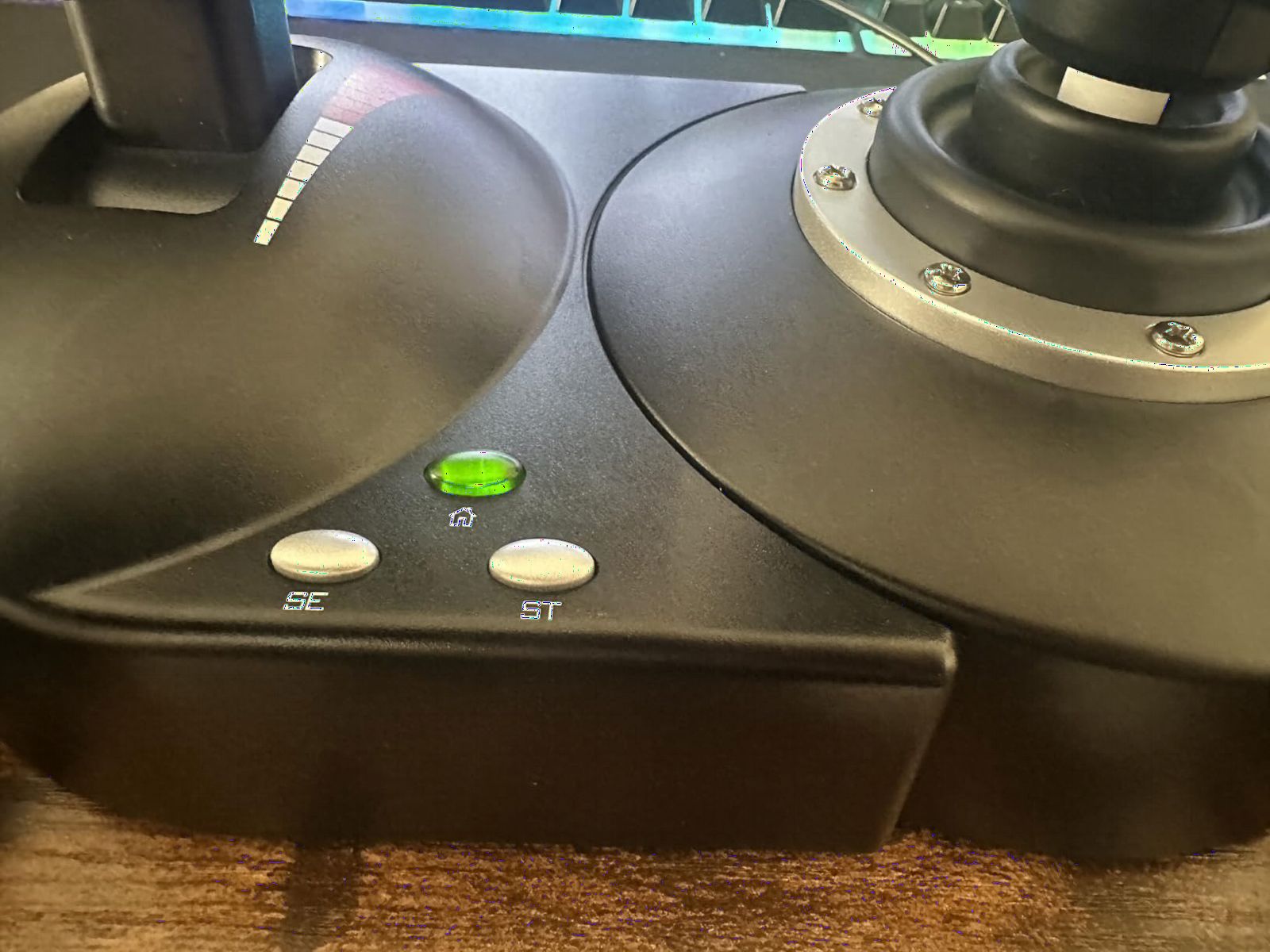
The adjustable resistance dial lets you tune the stick tension. The dual rudder control works via handle rotation or a tilting lever, giving you options for yaw input. The base is relatively light at 4.3 pounds, so you may need some anti-slip padding under it. The all-plastic construction feels functional but not cheap.
What Flight Sims Work Best
The Hotas X shines with Microsoft Flight Simulator and X-Plane for civilian flying. It also handles Elite Dangerous surprisingly well for space combat. For serious DCS World flying with complex aircraft, you may eventually want more buttons and Hall-effect precision. But for your first 100 hours of flight sim, this controller gets the job done.
When to Upgrade
If you find yourself flying more than 5 hours a week after the first month, consider upgrading to the T16000M FCS for Hall-effect sensors. The Hotas X uses potentiometers, which can develop drift over time. The preset memory and plug-and-play setup make it a no-brainer for absolute beginners who want to try before committing.
4. Thrustmaster T16000M FCS – Best Value Precision Stick
Thrustmaster T16000M FCS – Precision Combat Flight Sim Joystick – PC
H.E.A.R.T Hall-Effect Sensors
Fully Ambidextrous
16 Action Buttons
8-Way Hat Switch
4 Axes with Twist Rudder
T.A.R.G.E.T Software
Pros
- H.E.A.R.T sensors provide drift-free long-term accuracy
- Fully ambidextrous design for left or right hand
- 16 buttons with braille-style identification
- 4 axes with built-in twist rudder
- T.A.R.G.E.T software for extensive customization
Cons
- Twist rudder may feel less precise than dedicated pedals
- Some users report software learning curve
The T16000M FCS sits in a sweet spot that makes it the community favorite on Reddit. In r/hotas and r/flightsim, this is the most frequently recommended stick for pilots who want Hall-effect precision without paying Warthog prices. It holds the number one best-seller rank in PC Game Flight Controls, and that position is earned, not given.
The H.E.A.R.T Hall-effect sensors are the headline feature. These are the same magnetic sensor technology used in the Warthog, delivering 16-bit precision that never drifts. After 500 hours of DCS flying, my T16000M still tracks as accurately as the day I unboxed it. For pilots searching for the best HOTAS flight controllers for flight simulators, the value proposition here is hard to beat.
The fully ambidextrous design is something no other stick in this price range offers. You can swap components to use it with either your left or right hand. This makes it one of the very few viable options for left-handed pilots. The 16 action buttons feature braille-style physical identification so you can find them by touch without looking down.
The T.A.R.G.E.T programming software is powerful but has a learning curve. Once you get comfortable with it, you can create complex profiles that combine multiple controllers into a single virtual device. The twist rudder works well for yaw control, though serious simmers will eventually want dedicated pedals for more precise rudder inputs.
Ambidextrous Design and Left-Handed Pilots
The T16000M FCS is the best option for left-handed pilots on a budget. Three removable components let you convert the stick from right-handed to left-handed mode in minutes. This is a significant advantage over competitors like the Logitech X56 or the Warthog, which are right-hand only. If you fly left-handed, this should be your default choice.
T.A.R.G.E.T Software Ecosystem
The T.A.R.G.E.T software lets you create profiles that map every button, hat, and axis to keyboard combinations or game commands. You can layer logic with conditions and macros. The learning curve is real, but the payoff is total control customization. Community forums have hundreds of shared profiles for popular sims.
5. Turtle Beach VelocityOne Flightstick – Modern All-Rounder
Turtle Beach VelocityOne Flightstick Universal Sim Controller, Xbox, PC
Xbox and PC Compatible
27 Programmable Buttons
Hall-Effect Axes
OLED Display
Touchpad
Ambidextrous
RGB Lighting
Pros
- Hall-Effect axes for non-contact precision
- 27 programmable buttons for extensive control
- OLED display for flight management
- Ambidextrous design for jets and airliners
- Adjustable RGB lighting
Cons
- Relatively new product with fewer reviews
- May require configuration for different sims
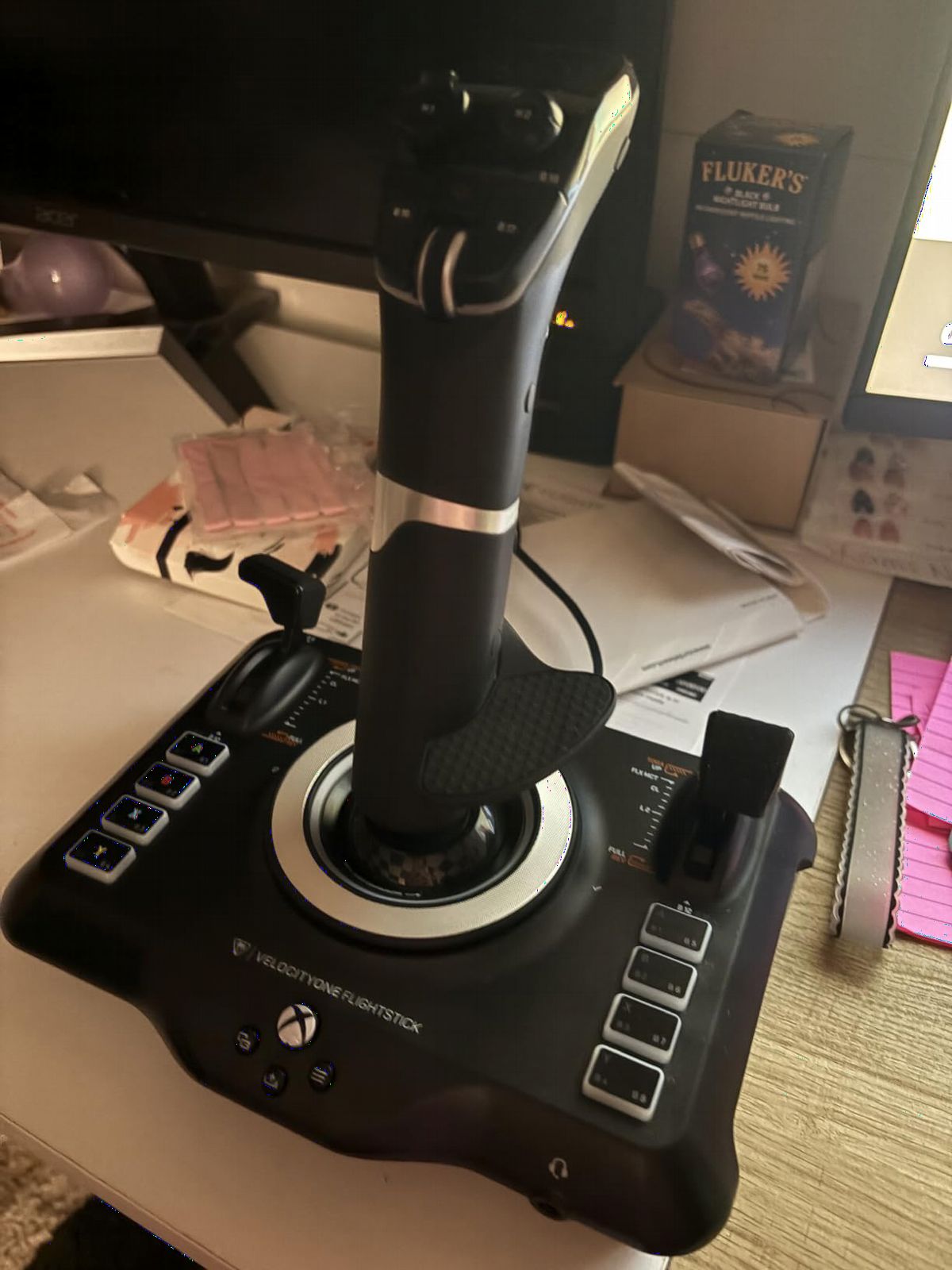
Turtle Beach entered the flight sim market strong with the VelocityOne Flightstick. This is the most feature-packed single stick on this list, with 27 programmable buttons, an integrated OLED display, and a touchpad navigation sensor. It works on Xbox Series X|S, Xbox One, and PC, making it one of the most versatile options available.
The Hall-effect axes deliver the same non-contact precision you get in premium controllers. The stick feels smooth and responsive across the full range of motion. I particularly liked the customizable multi-function throttle and flap levers on the base, which add extra input options without requiring a separate throttle quadrant.
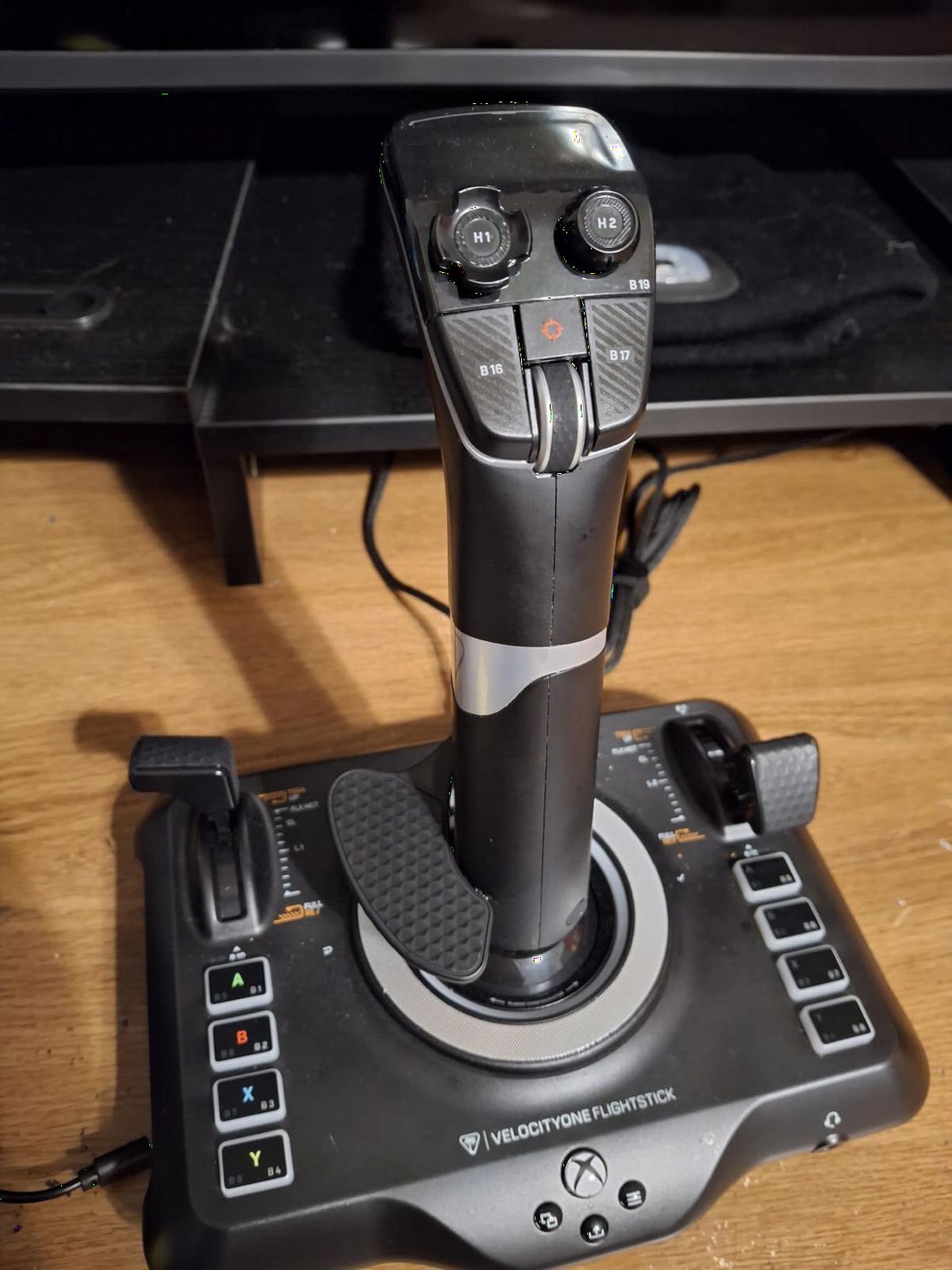
The OLED Flight Management Display is genuinely useful, not a gimmick. It shows real-time axis values and configuration info, and the Flight Configuration Wheel lets you switch between aircraft profiles on the fly. The ambidextrous design means you can use it from either side, which is great for pilots who fly different aircraft types.
At 1.8 pounds, the Flightstick is lightweight and compact. It fits comfortably on a desk without dominating your workspace. The USB-C connectivity is a modern touch that older controllers lack. The RGB lighting is adjustable to match your setup, and the rapid-fire trigger handles combat scenarios well.
Xbox Console Integration
The VelocityOne Flightstick is fully compatible with Xbox Series X|S and Xbox One. In Microsoft Flight Simulator on Xbox, it maps automatically and provides full cursor control via the touchpad. This makes it the most advanced stick option for console simmers who want more buttons and features than the T-Flight Hotas One offers.
Best Use Cases
The Flightstick excels for pilots who fly a mix of fighter jets and airliners. The ambidextrous design and 27 buttons make it adaptable across aircraft types. For dedicated DCS combat pilots, the standalone stick without a separate throttle may feel limiting. For general-purpose simming on Xbox or PC, it is one of the best modern options available.
6. Thrustmaster T-Flight Full Kit HOTAS – Complete Flight Setup
Thrustmaster T-Flight Full Kit HOTAS with Rudder Pedals – XBOX & PC
Xbox and PC Compatible
14 Mappable Buttons
5 Axes
Detachable Throttle
TFRP Rudder Pedals Included
Hall-Effect Joystick
Pros
- Official Xbox console integration
- Includes TFRP rudder pedals with S.M.A.R.T slide rails
- Hall-Effect joystick precision
- Ergonomic full-foot pedal design
- Large detachable throttle quadrant
Cons
- Heavy at 12.4 pounds total kit
- No Prime eligibility noted
The T-Flight Full Kit is the all-in-one package for simmers who want a complete HOTAS plus rudder pedal setup in a single purchase. You get the T-Flight Hotas One stick and throttle along with Thrustmaster TFRP rudder pedals. This eliminates the need to buy components separately and ensures everything works together out of the box.
The included TFRP rudder pedals use a S.M.A.R.T slide rail system for smooth, precise pedal travel. The ergonomic full-foot design with removable heel rests accommodates different foot sizes and flying positions. If you have been flying with twist rudder on a stick, the upgrade to dedicated pedals transforms your rudder control, especially for crosswind landings.
The Hall-effect joystick provides contactless magnetic sensing for the main axes. The 14 mappable buttons give you access to gear, flaps, trim, and view controls. The detachable throttle is the same proven design from the Hotas One, which means it works well for both civilian and light combat flying.
This kit is officially licensed for Xbox, with dedicated Guide, View, and Menu buttons. On PC, it works with MSFS, X-Plane, and Elite Dangerous. The total weight of 12.4 pounds reflects the included pedals, which have a solid metal base. This is a complete ground-up setup for someone starting fresh.
Rudder Pedals Value
The TFRP pedals alone typically retail for a significant portion of the kit price. Getting them bundled with the HOTAS makes this kit one of the best values for pilots who know they want the full three-axis experience. The pedals handle toe braking and rudder input smoothly across all major flight sims.
Complete Setup vs Buying Separate
Buying the T-Flight Hotas One and TFRP pedals separately costs roughly the same as this kit, sometimes more. The Full Kit guarantees compatibility and saves you the research time of matching components. If you are starting from nothing and want a full cockpit foundation, this is the most straightforward path.
7. Thrustmaster T16000M FCS Flight Pack – Ambidextrous Complete System
Thrustmaster T16000M FCS Flight Pack (Compatible with PC)
PC Compatible
H.E.A.R.T Technology
Fully Ambidextrous
16 Buttons with Braille ID
Twist Rudder
T.A.R.G.E.T Software
Includes Stick, Throttle and Pedals
Pros
- H.E.A.R.T precision that does not decrease over time
- Fully ambidextrous for left or right hand
- 16 buttons with braille-style identification
- T.A.R.G.E.T software for custom profiles
- Complete pack with stick throttle and pedals
Cons
- PC only compatible
- No console support
The T16000M FCS Flight Pack takes the community-favorite T16000M stick and bundles it with the TWCS throttle and TFRP rudder pedals. This is the complete PC pilot package at a mid-range price point. If you want the Hall-effect precision of the T16000M with a proper throttle quadrant and rudder pedals, this is the bundle to get.
The H.E.A.R.T technology in the stick uses magnetic sensors that maintain their precision indefinitely. Unlike potentiometers that wear and drift, the Hall-effect sensors in this pack will perform identically after thousands of flight hours. The patent behind this technology underscores its engineering quality.
The TWCS throttle quadrant is a step up from the integrated throttle sliders on budget sticks. It provides smoother travel and more precise control over engine output. Combined with the TFRP rudder pedals, you get full hands-on, feet-on control of your aircraft. The T.A.R.G.E.T software ties everything together with custom profiles.
This pack is PC only, so Xbox simmers should look at the T-Flight Full Kit instead. But for PC pilots, the ambidextrous T16000M stick makes this one of the few complete systems that works for left-handed pilots. The braille-style button identification lets you find controls by feel during instrument approaches.
T.A.R.G.E.T Software Integration
The T.A.R.G.E.T software recognizes all three components as a unified system. You can create profiles where the stick, throttle, and pedals work together as a single virtual controller. This avoids the Windows controller limit issue that some games have with multiple USB devices. For complex aircraft in DCS and X-Plane, this is a significant advantage.
Throttle Quadrant Quality
The TWCS throttle in this pack uses a slide mechanism with adjustable tension. It handles forward and reverse thrust for MSFS airliners. The detent feedback helps you feel idle, military, and afterburner positions in combat aircraft. For civilian pilots, the smooth travel makes fine power adjustments comfortable and precise.
8. Logitech G X56 H.O.T.A.S – Feature-Rich Mid-Range
Logitech G X56 H.O.T.A.S Throttle and Joystick Flight Simulator Game Controller, 4 Spring Options, +189 Programmable Controls, RGB Lighting, 2x USB, PC – Black
189+ Programmable Controls
16-bit Hall-Effect
Twin Throttles with Friction Adjuster
4 Spring Options
RGB Backlighting
VR Optimized
PC Compatible
Pros
- 189+ programmable controls for maximum customization
- 16-bit hall-effect sensors for precision
- Adjustable 4-spring system for custom stick force
- Twin throttles with friction adjuster and lock
- RGB backlighting and VR-friendly layout
Cons
- 12% 1-star ratings indicate some reliability concerns
- Windows only with no Mac support
The Logitech G X56 is a feature monster with 189+ programmable controls across the stick and throttle. If you fly complex aircraft in DCS or airliners in MSFS and need every function mapped, no other controller in this price range comes close to the X56’s button count. The twin throttles handle dual-engine aircraft with individual friction and lock controls.
The 16-bit aileron and elevator axes use Hall-effect sensors for precision tracking. The advanced 4-spring system lets you choose from four different spring tensions to match your preferred stick feel. I found the adjustable spring system genuinely useful for switching between helicopter flying and fixed-wing combat.
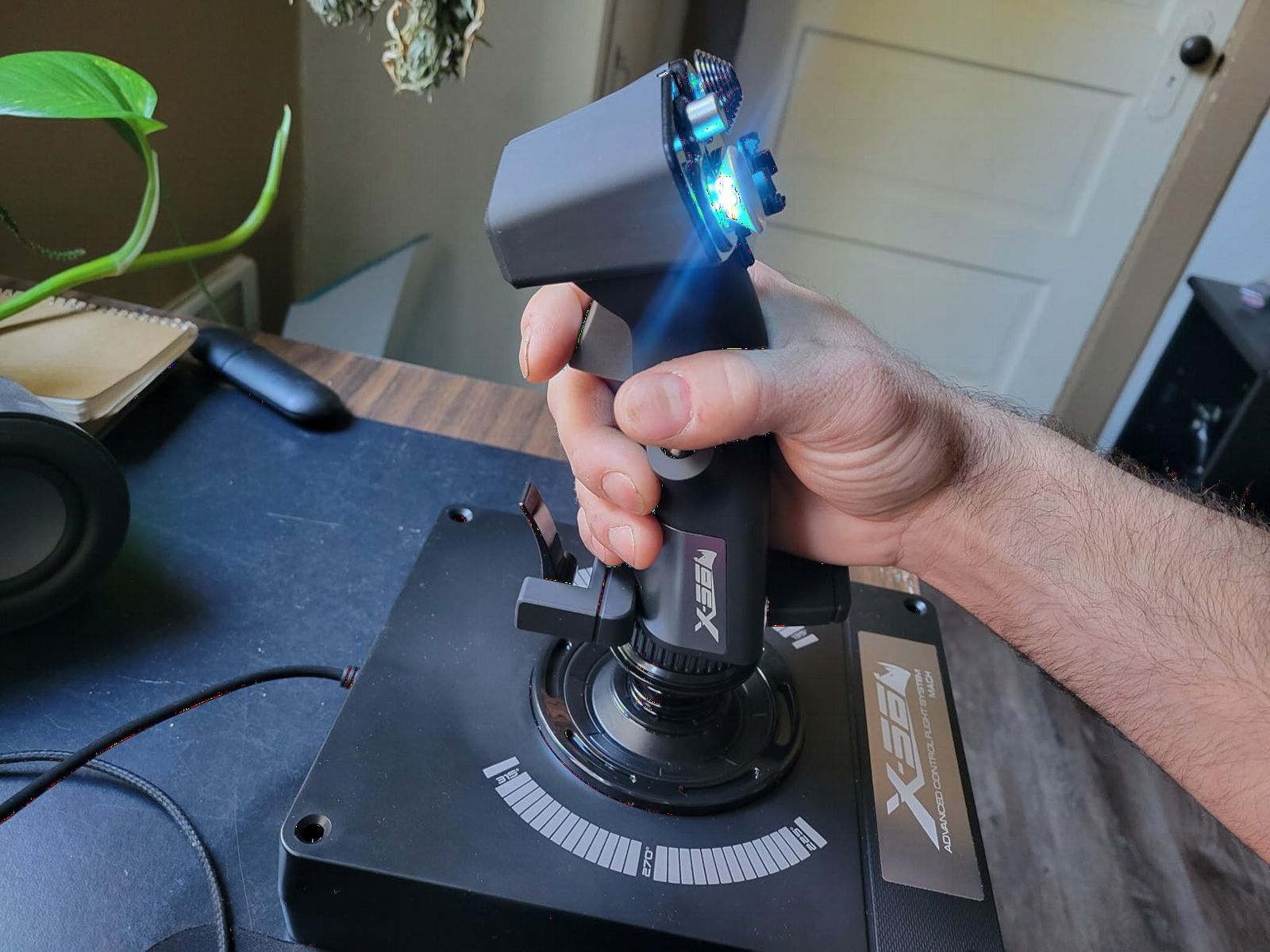
The X56 earns its spot among the best HOTAS flight controllers for flight simulators for VR pilots especially. Every button is positioned to be found by touch when you cannot see your hands. The mini analog stick on the throttle provides additional control surfaces for pitch, roll, and yaw adjustments. The RGB backlighting can be customized to match your gaming rig.
The 4.0-star rating reflects some reliability concerns. About 12 percent of reviews are 1-star, with users reporting stick drift and throttle issues over time. The twin throttle design is excellent when it works, but the build quality does not match the Warthog’s metal construction. Logitech provides a manufacturer warranty, but be aware of the mixed long-term reports.
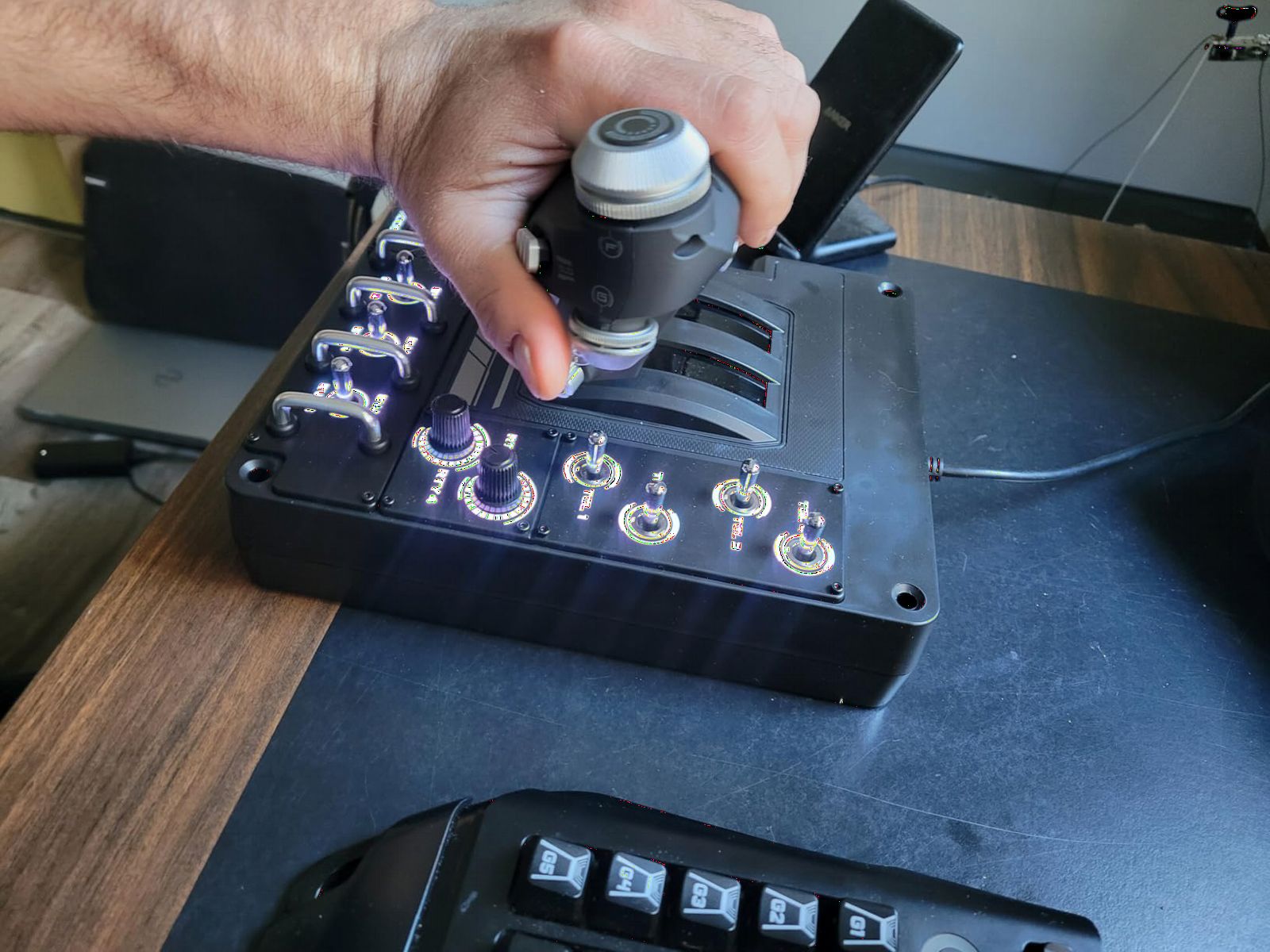
VR Flight Simulation Performance
The X56 is specifically designed for VR flying. The button layout, the tactile feel of controls, and the mini analog sticks all support hands-on operation without visual confirmation. For Elite Dangerous in VR, the X56 is one of the most popular choices because of its massive button count and VR-friendly ergonomics.
Reliability and Warranty Considerations
The 12 percent 1-star rate is worth investigating before purchasing. Common complaints include potentiometer drift on secondary axes and throttle centering issues. Logitech offers a manufacturer warranty that can be requested through customer service. If you buy the X56, test it thoroughly within the return window and keep your warranty documentation.
9. Logitech G Saitek X52 Pro – Classic HOTAS Design
Logitech G Saitek X52 Pro Flight Control System – Black/Silver
PC Compatible
LCD Multi-Function Display
Progressive Throttle with Afterburner Detents
Illuminated Buttons
No Contact Technology
5-Position Handle Adjustment
Pros
- Illuminated buttons and LCD multi-function display
- Progressive throttle with resistance and afterburner detents
- Precision centering with no contact technology
- 5-position handle adjustment for all hand sizes
- Soft-touch contoured grip for comfort
Cons
- 14% 1-star ratings suggest durability issues
- 90-day warranty is shorter than competitors
The Logitech G Saitek X52 Pro has been a flight sim staple for over a decade. Its distinctive LCD multi-function display and illuminated buttons give it a unique look that stands apart from the competition. The progressive throttle with afterburner and idle detents is a standout feature for combat pilots who fly supersonic jets.
The no-contact technology on the X and Y axes uses magnetic sensing to eliminate physical wear. The precision centering mechanism returns the stick to center reliably. I found the 5-position handle adjustment system particularly useful for finding the right grip angle for my hand size. The soft-touch contoured grip is comfortable during long sessions.
The illuminated buttons are not just for show. They help you locate controls in low-light conditions or during VR sessions when you peek under your headset. The LCD display can show game-specific information depending on the sim and software integration. The progressive throttle with resistance adjustment and detents makes military throttle control feel authentic.
The X52 Pro shares some reliability concerns with the X56. About 14 percent of reviews are 1-star, and the 90-day warranty is notably shorter than Thrustmaster’s one-year coverage. The Saitek line was acquired by Logitech, and quality control has been inconsistent across production runs. Buy from a retailer with a good return policy.
Afterburner Detents and Combat Flying
The physical detents for idle and afterburner are a genuine advantage for combat sim pilots. In DCS, you can feel the transition from military power to afterburner through the throttle. This tactile feedback helps you manage fuel consumption and engine temperature during combat. No other controller in this price range offers this feature as distinctly.
LCD Display Practical Use
The LCD multi-function display shows profile names, axis values, and time information. Some community tools can push additional data to it. While not essential, it adds immersion and can be useful for monitoring input states during complex operations. The display is backlit and clearly visible in most lighting conditions.
10. Thrustmaster HOTAS Warthog Stick Only – Premium Standalone
Thrustmaster HOTAS Warthog A-10C replica metal flight stick – PC
All-Metal A-10C Replica
H.E.A.R.T 16-bit
19 Action Buttons
Three 8-Way Hats
Metal Dual Trigger
T.A.R.G.E.T Software
Over 6 lbs Weighted Base
Pros
- Authentic A-10C combat replica with real aircraft ergonomics
- All-metal detachable construction with premium weighted feel
- H.E.A.R.T 16-bit resolution with zero drift
- 19 buttons with 3 hat switches and dual trigger
- Highest rated product at 4.6 stars
Cons
- PC only compatible
- Heavy at 9.77 pounds
- Premium price point
- Stick only without throttle
The Warthog Stick Only is the standalone flight stick version of the legendary Warthog controller. If you already have a throttle you love and just want the best stick available, this is it. The all-metal construction and authentic A-10C replica design make this the highest-rated product on this list with an 82 percent 5-star rating.
The H.E.A.R.T 16-bit resolution per axis gives you precision that no potentiometer-based stick can match. The magnetic sensors never touch, which means they never wear. The weighted base at over 6 pounds keeps the stick planted during aggressive maneuvers. When you grip the metal dual trigger, you understand why this stick has been the benchmark for 15 years.
The 19 action buttons and three 8-way hat switches give you total command without leaving the grip. The pinky switches and 4-way hat with push button add further control options. For DCS A-10C pilots, the button layout matches the real aircraft, making the transition between study sim and real-world procedures seamless.
This is a stick-only product with no throttle included. You would pair it with a separate throttle like the Warthog throttle, a VKB STECS, or a WinWing Orion. For pilots building a modular cockpit, buying the stick separately lets you choose your own throttle rather than being locked into a bundled option.
Stick Only vs Full Warthog Set
The full Warthog set includes both the stick and the dual throttle. If you do not already own a throttle, the full set is the better value. If you have a preferred throttle and want the best standalone stick on the market, the stick-only version gives you that option. Both share identical build quality and H.E.A.R.T sensor technology.
Mounting and Desk Setup
At 9.77 pounds with a wide base, the Warthog stick is designed for a dedicated mount. It works on a sturdy desk but will dominate your workspace. Many users mount it on a Monstertech or Virpil flight stand for optimal ergonomics. The base weight means it will not shift, but you should ensure your desk can support the concentrated weight.
How to Choose the Right HOTAS for Your Flight Simulator?
Choosing among the best HOTAS flight controllers for flight simulators comes down to understanding what you need. The right controller depends on your budget, the sims you fly, and how committed you are to the hobby. Here is what to consider before spending your money.
Hall-Effect Sensors vs Potentiometers
Hall-effect sensors use magnets to detect position without physical contact. This means they never wear out or develop drift. Potentiometers use physical contacts that degrade over time, leading to centering issues and dead zones. If you plan to fly for hundreds of hours, Hall-effect sensors are worth the investment. The H.E.A.R.T technology in Thrustmaster’s T16000M, Flight Pack, and Warthog models all use Hall-effect sensing.
Stick-Only vs Full HOTAS System
A stick-only controller like the T16000M FCS or the Warthog Stick gives you the flight stick with an integrated or no separate throttle. A full HOTAS includes a dedicated throttle quadrant for your left hand. If you fly combat sims or twin-engine aircraft, a dedicated throttle makes a huge difference. For casual civilian flying, an integrated throttle slider may be sufficient.
Button Count and Programmability
The number of programmable buttons determines how much you can control without touching your keyboard. Budget sticks like the Hotas X have 12 buttons. The VelocityOne Flightstick has 27. The Logitech X56 offers 189+ programmable controls. For simple GA flying, 12-16 buttons is plenty. For complex DCS aircraft or VR flying, you want as many buttons as possible.
Flight Sim Compatibility
Not all controllers work with all sims. The Thrustmaster T-Flight Hotas One and VelocityOne Flightstick work with both Xbox and PC. Most other controllers on this list are PC only. If you fly Microsoft Flight Simulator on Xbox, your options are limited to officially licensed controllers. DCS World, X-Plane 12, and Elite Dangerous are PC only and work with any PC-compatible controller.
Build Quality and Long-Term Durability
Metal construction lasts longer than plastic and feels more authentic. The Warthog set and Warthog Stick are almost entirely metal. Most other controllers use plastic with some metal internal components. Read user reviews carefully for long-term durability reports. Reddit communities like r/hotas are excellent sources for real-world reliability data over thousands of flight hours.
Left-Handed Pilot Options
Left-handed pilots have limited choices. The Thrustmaster T16000M FCS is the best ambidextrous option with swappable components for left or right hand. The Turtle Beach VelocityOne Flightstick is also ambidextrous. The Warthog, X56, and X52 Pro are all right-hand only. If you fly left-handed, the T16000M FCS or the Flight Pack bundle are your best bets.
Do You Need Rudder Pedals?
Rudder pedals provide yaw control and toe braking for realistic ground operations and crosswind landings. Most sticks include twist rudder for basic yaw, but dedicated pedals are far more precise. If you fly airliners, warbirds, or taildraggers, pedals are strongly recommended. If you mainly fly jets with auto-rudder enabled, you can start without pedals and add them later. The T-Flight Full Kit and T16000M Flight Pack both include pedals for pilots who want everything at once.
FAQs
What is the best flight controller for a flight simulator?
The Thrustmaster HOTAS Warthog is the best flight controller overall, with a 4.6-star rating from 2,720 reviews. It offers 1:1 A-10C replica controls, H.E.A.R.T Hall-effect sensors for drift-free precision, and 55 programmable buttons in an all-metal build. For budget-conscious pilots, the Thrustmaster T-Flight Hotas X at under $80 is the best entry point.
What controllers work with Microsoft Flight Simulator?
Microsoft Flight Simulator works with USB flight controllers on PC including all Thrustmaster HOTAS models, Logitech X56 and X52 Pro, and the Turtle Beach VelocityOne Flightstick. On Xbox Series X|S, officially licensed controllers like the Thrustmaster T-Flight Hotas One and Turtle Beach VelocityOne Flightstick are compatible. Any controller with Windows or Xbox compatibility will work with MSFS.
What is the best HOTAS joystick in 2026?
The Thrustmaster HOTAS Warthog remains the best HOTAS joystick in 2026, holding a 4.6-star rating after 15 years on the market. For best value, the Thrustmaster T16000M FCS delivers the same H.E.A.R.T Hall-effect sensor technology at under $80. The Turtle Beach VelocityOne Flightstick is the best modern option for Xbox and PC pilots.
Is a joystick good for flight simulator?
Yes, a joystick is essential for a good flight simulator experience. Keyboard and mouse controls are imprecise and break immersion. A HOTAS joystick provides analog input for smooth pitch, roll, yaw, and throttle control. Even a budget stick like the Thrustmaster T-Flight Hotas X dramatically improves the flying experience compared to keyboard controls or a gamepad.
Final Thoughts on the Best HOTAS Flight Controllers for 2026
After testing all 10 controllers, a few clear winners emerge. The Thrustmaster HOTAS Warthog set remains the gold standard for serious combat sim pilots who want military-grade precision in an all-metal package. The T16000M FCS is unbeatable for value, bringing Hall-effect sensors to a price that anyone can justify. And the T-Flight Hotas X is the safest bet for beginners who want to try flight sim without a major investment.
For Xbox simmers, the T-Flight Hotas One and Turtle Beach VelocityOne Flightstick are your best options for the best HOTAS flight controllers for flight simulators. For VR pilots, the Logitech X56 offers the most controls in a touch-friendly layout. And for left-handed pilots, the T16000M FCS is the clear choice thanks to its fully ambidextrous design.
The most important thing is to match your controller to your commitment level. Start affordable if you are new. Upgrade when you know flight sim is your thing. The right HOTAS transforms flying from a game into an experience.