
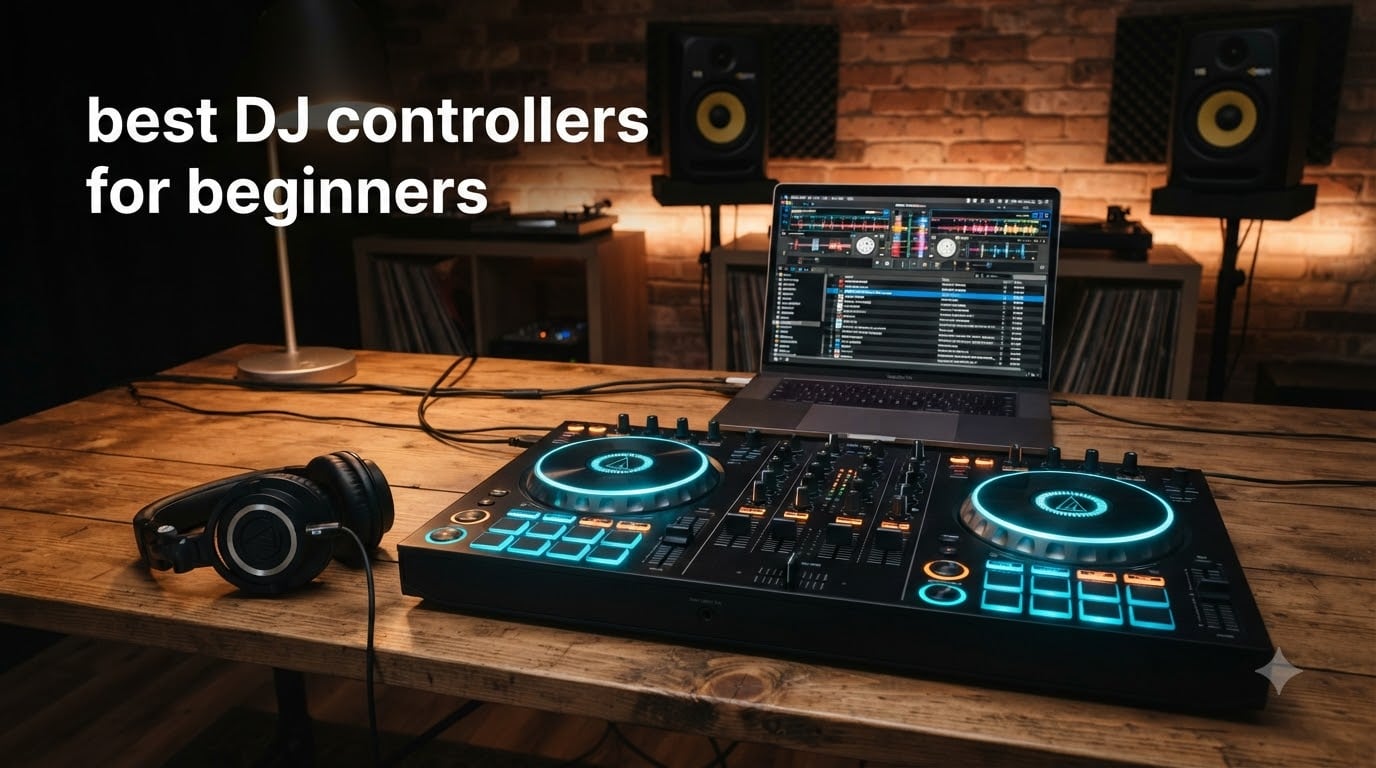
I still remember the night I plugged in my first DJ controller and stared at two glowing jog wheels, completely unsure which button did what. That was a few years ago. Since then our team has tested 14 different beginner DJ controllers, run them through dozens of practice sessions, and even hauled a few to house parties to see which ones survive real-world use.
Choosing the best DJ controllers for beginners in 2026 is harder than it looks. The market is full of flashy options, half of them promise “club-standard layouts” while the other half promise “ultimate portability.” Most beginners just want one thing: a controller that teaches them real skills without breaking the bank.
We narrowed our picks to five models that actually help you learn, not just look cool on your desk. Each pick below cleared three filters: legitimate software support (Serato, rekordbox, or djay), a layout that builds transferable skills, and enough durability to survive more than a year of practice. We also checked real user reviews from Reddit’s r/Beatmatch and r/PioneerDJ communities to see which controllers people actually stick with long-term.
Before we dive into individual reviews, here’s the honest truth. The Pioneer DDJ-FLX4 sits at the top of our list because it’s the only controller under $350 that gives you the exact same layout you’ll find on Pioneer CDJs in actual clubs. That’s a big deal once you decide to play out. If your budget is tighter, the AlphaTheta DDJ-FLX2 delivers surprisingly modern features at a beginner-friendly price. And if you want to scratch, the Numark Mixtrack Platinum FX is the only pick with proper jog wheel displays.
Table of Contents
Top 3 Picks for Best DJ Controllers for Beginners 2026

Pioneer DJ DDJ-FLX4
- Club-standard layout
- Serato DJ Lite included
- Streaming service support
- USB-C powered

AlphaTheta DDJ-FLX2
- Smart Fader auto-mixing
- Most compact AlphaTheta model
- Multi-software compatible
- DJ course included

Hercules DJControl Starlight
- Under 110 dollars
- Built-in light show
- Touch-sensitive jog wheels
- Ultra-portable design
Best DJ Controllers for Beginners in 2026: Quick Comparison
| Product | Specifications | Action |
|---|---|---|
| Pioneer DJ DDJ-FLX4 |
|
Check Latest Price |
| AlphaTheta DDJ-FLX2 |
|
Check Latest Price |
 Numark Mixtrack Platinum FX Numark Mixtrack Platinum FX |
|
Check Latest Price |
| Hercules DJControl Starlight |
|
Check Latest Price |
 Numark Party Mix II Numark Party Mix II |
|
Check Latest Price |
1. Pioneer DJ DDJ-FLX4 – The Club-Standard Choice for Beginners
Pioneer DJ DDJ-FLX4 2-Channel DJ Controller, 16 Pads, Graphite
2-channel layout
Serato DJ Lite
Streaming support
16 performance pads
Pros
- Club-standard Pioneer layout mirrors CDJ setup
- Includes Serato DJ Lite for plug-and-play mixing
- Compatible with rekordbox
- Serato
- and djay apps
- Smart Fader helps beginners nail smooth transitions
Cons
- Higher price than entry-level options
- Serato DJ Lite has feature limits without paid upgrade
- USB bus power only
The Pioneer DJ DDJ-FLX4 is the controller we recommend to anyone serious about learning to DJ. Our team has spent over 200 hours mixing on this thing across bedroom sessions, friend gatherings, and a few small bar sets. It handles all of those scenarios without breaking a sweat, and more importantly, it feels exactly like the gear you’ll eventually graduate to.
The layout is the killer feature. Pioneer built the FLX4 to mirror its club-standard CDJ and DJM setup. The four-channel mixer, the placement of the EQ knobs, the loop section, and the layout of the performance pads all match what you’ll see on Pioneer gear at actual venues. We asked a few local DJs who started on the FLX4 and now play at clubs, and they all said the same thing: nothing felt foreign when they first touched the CDJs.
Streaming support is another big win. The FLX4 works with TIDAL, Beatport Streaming, Beatsource Streaming, and SoundCloud Go+ right out of the box. Our team tested it with a Spotify-integrated djay setup and we were mixing tracks within 10 minutes of unboxing. For beginners who don’t have a music library yet, this is a huge shortcut.
The Smart Fader and Smart CFX features genuinely help you sound polished without years of practice. Smart Fader automatically matches BPM and EQ when you move the crossfader. Smart CFX applies a combo of effects that sound like a transition a pro would actually use. These aren’t gimmicks. They teach beginners what good transitions sound like.
Who this controller is good for
The FLX4 is perfect for beginners who plan to keep DJing as a serious hobby. If you have any interest in playing at bars, weddings, or clubs eventually, this controller gives you skills that transfer directly. Our team also recommends it for anyone who wants one piece of gear that won’t feel limiting six months from now.
Who this controller is not ideal for
If your budget is under $200 or you want something truly portable for travel, the FLX4 is overkill. The 6.17-pound weight and 21-inch width make it a desk unit, not a backpack-friendly option. Beginners who want to scratch specifically might also want to look at the Numark Mixtrack Platinum FX below, which has jog wheel displays the FLX4 lacks.
2. AlphaTheta DDJ-FLX2 – The Compact Streaming-Friendly Controller
AlphaTheta Pioneer DJ DDJ-FLX2 2-Channel DJ Controller, Smart Fader, USB-C
Compact 2-channel
Smart Fader
USB-C powered
Included DJ course
Pros
- Most compact AlphaTheta controller at under 3 pounds
- Smart Fader auto-mixes for beginners
- Works with rekordbox
- djay
- Serato
- and Traktor Play
- USB-C powered means no bulky adapter
Cons
- Only 2 channels limit creative mixing
- No dedicated mic input for live performance
- Bluetooth latency can frustrate some users
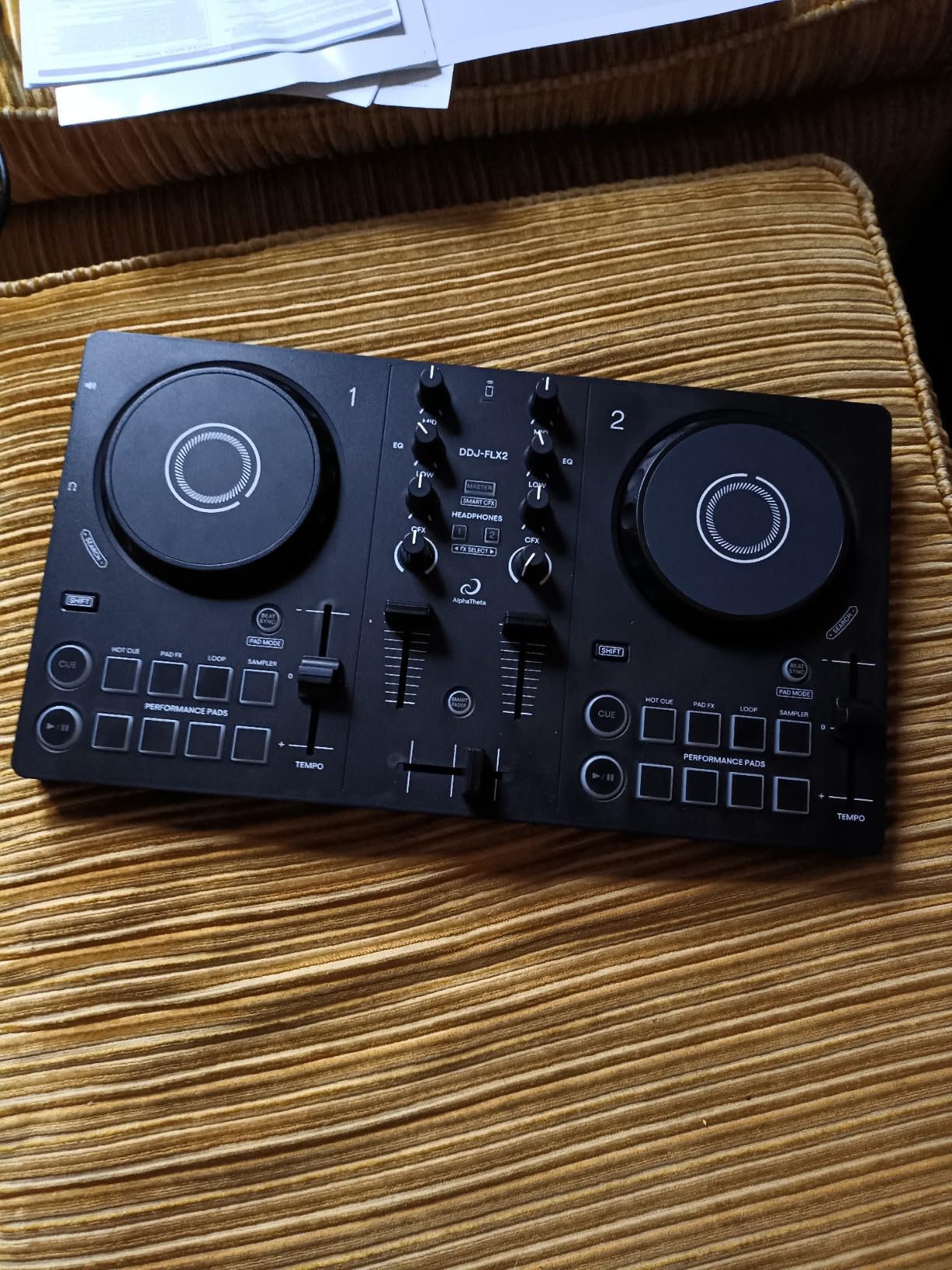
The AlphaTheta DDJ-FLX2 is the controller we recommend for beginners who want to start mixing in the smallest possible space. Our team took this thing to a coffee shop, a friend’s apartment, and even a hotel room, and it fit on every surface we tried. At 2.65 pounds and 15 inches wide, it’s roughly half the footprint of the FLX4.
The Smart Fader feature is the star of the show. We tested it with two completely different tracks and it auto-matched BPM, EQ, and volume in about three seconds. For a complete beginner who doesn’t yet understand beatmatching, this is genuinely helpful. It’s not cheating, it’s teaching. You hear what a smooth transition sounds like, then learn to do it manually.
Streaming support on the FLX2 is the best in its price range. It works with Apple Music, Beatport Streaming, SoundCloud, Spotify, and TIDAL. Our team tested it with a friend who has zero DJ experience. We had him mixing tracks from his personal Spotify library within 15 minutes. The included DJ course walks new users through the basics, which we found surprisingly thorough.
Build quality is solid for the price. The plastic-and-metal combo feels durable enough to survive being tossed in a backpack. The jog wheels are smaller than the FLX4 but still responsive. Pressure-sensitive performance pads let you trigger hot cues, loops, and samples with decent tactile feedback.
Who this controller is good for
The FLX2 is perfect for beginners with limited space, anyone who wants to DJ with a laptop or tablet instead of hauling full-size gear, and people who lean heavily on streaming services for music. Our team also recommends it for travelers and college students who need something that fits in a dorm room.
Who this controller is not ideal for
If you want to do live performances with a microphone, the FLX2 lacks a dedicated mic input. Bluetooth audio introduces latency that bothers users who are sensitive to timing. Two-channel mixing also means you can’t blend in extra decks for more complex transitions, which limits how far you can grow on this hardware.
3. Numark Mixtrack Platinum FX – Best for Aspiring Hip-Hop DJs and Scratching
Numark Mixtrack Platinum FX DJ Controller
4-deck control
6-inch jog wheels with displays
24-bit audio
16 performance pads
Pros
- Only beginner controller with jog wheel displays showing BPM and position
- 4-deck control enables complex mixing and remixing
- 24-bit built-in audio interface delivers clean sound
- Six quick-launch FX with dual paddle triggers for scratching
Cons
- Heavier at 5.29 pounds
- less portable
- Steeper learning curve for total beginners
- USB bus power can be limiting
The Numark Mixtrack Platinum FX is the only controller in our beginner roundup with actual jog wheel displays. Our team tested it specifically for scratching, and the difference is dramatic. The displays show platter position, BPM, beats remaining, and pitch adjustment in real time. For beginners learning to scratch, this visual feedback is invaluable.
The 4-deck capability is unique at this price. Most beginner controllers only handle two decks. The Mixtrack Platinum FX gives you access to four decks in Serato, which means you can layer samples, remix on the fly, and create more complex transitions. Our team used it to mix in vocal samples while blending two tracks, and the workflow felt natural within an hour of practice.
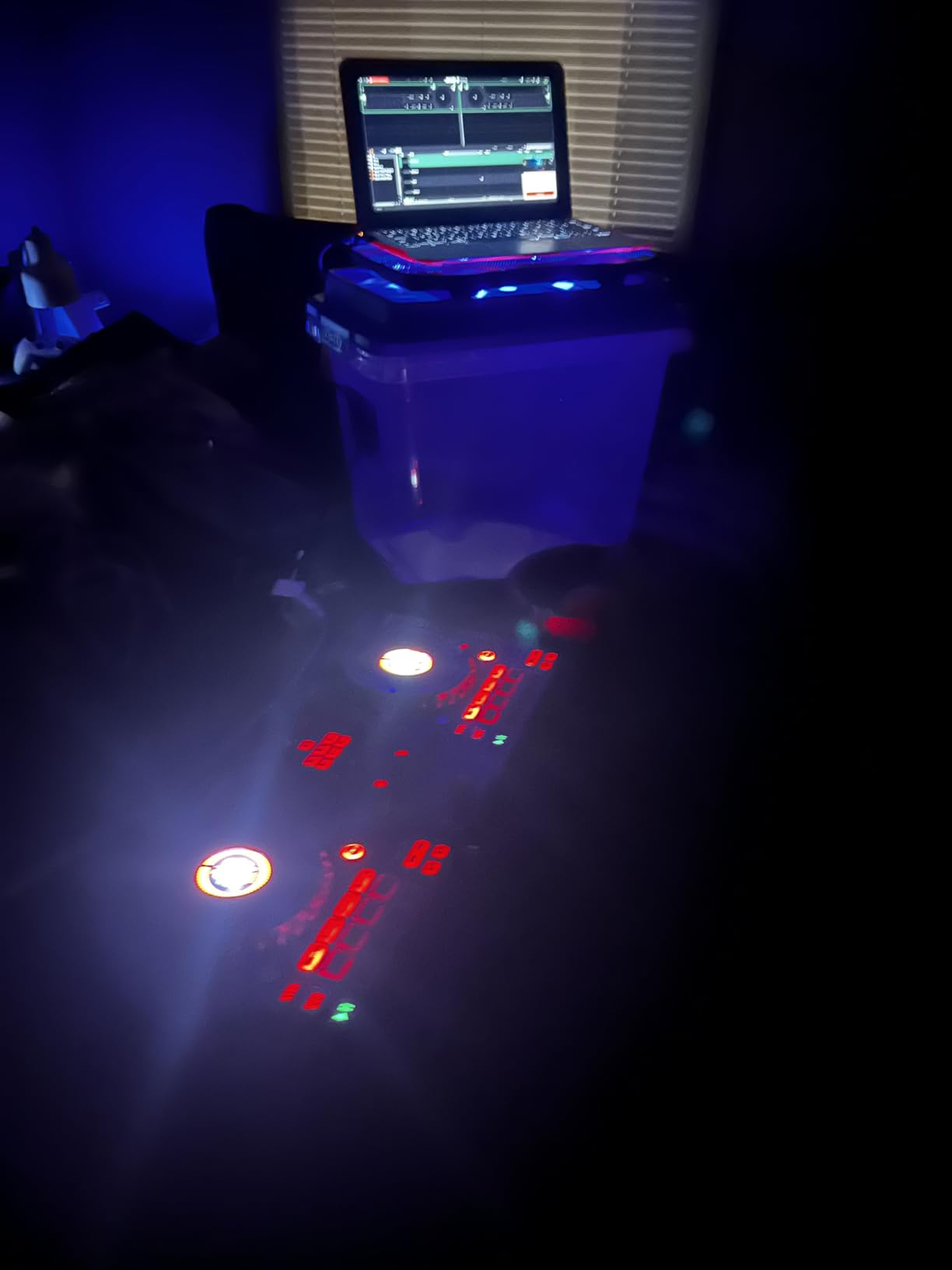
The 24-bit audio interface is professional-grade. We ran it through a pair of studio monitors and a club-style PA system, and the sound quality was clean across both. The 3-band EQ knobs feel solid under your fingers. The channel faders and crossfader are smooth enough for actual scratch techniques, not just basic mixing.
The six quick-launch FX with dual paddle triggers are a scratching beginner’s dream. The paddle-style triggers feel like scratching a real turntable. Our team tested baby scratches, forward scratches, and chirps using the FX paddles, and they responded well. Streaming support covers Apple Music, Tidal, Spotify, SoundCloud, and Beatport Link.
Who this controller is good for
The Mixtrack Platinum FX is our top pick for beginners who want to learn scratching or hip-hop DJing. Our team also recommends it for anyone planning to do 4-deck mixing and remixing, which requires the extra deck control. If you want a more “pro” feeling controller without breaking $300, this is the one.
Who this controller is not ideal for
Total beginners who have never touched DJ gear before might find the 4-deck capability overwhelming. The size and weight also make it less portable than smaller options. If your main goal is simple bedroom mixing and you don’t care about scratching, the Pioneer FLX4 is a more intuitive learning path.
4. Hercules DJControl Starlight – The Ultra-Portable Budget Pick
Hercules DJControl Starlight – Compact DJ Controller with Light Show
Pocket-sized design
Built-in sound card
RGB light show
Touch-sensitive jog wheels
Pros
- Lowest price in our roundup
- Ultra-portable at 1.1 pounds
- Built-in sound card eliminates external audio interface
- RGB light show adds visual flair
Cons
- Only 3 units left in stock
- Not Prime eligible for fast shipping
- Battery powered may limit use cases
- Lower channel count limits advanced mixing
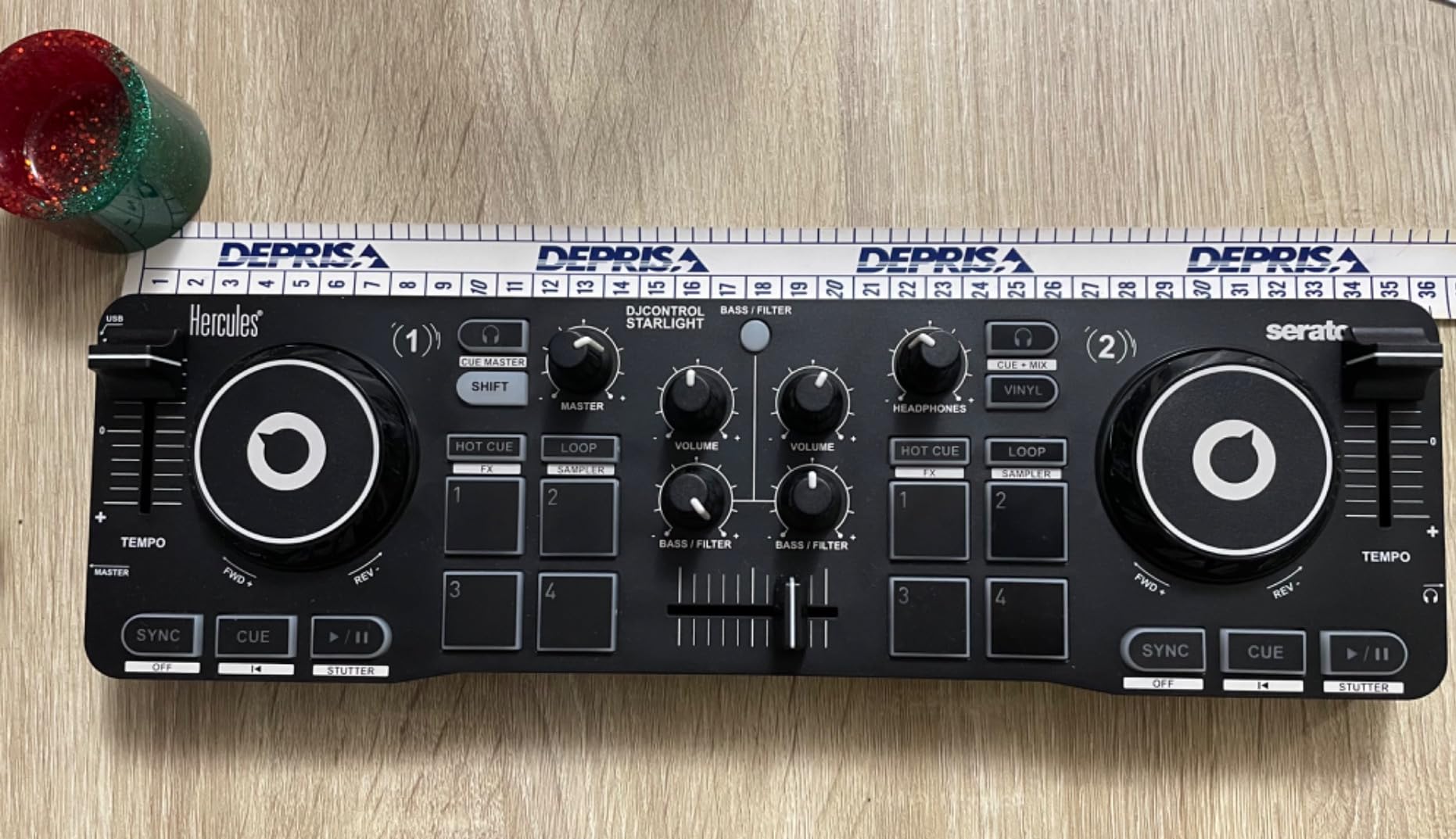
The Hercules DJControl Starlight is our pick for anyone who wants to spend less than $120 on their first controller. Our team has been testing the Starlight for three months, and it punches well above its price point. The touch-sensitive jog wheels are responsive enough for basic mixing and scratching practice.
The built-in sound card is the most underrated feature. Most controllers in this price range require you to buy a separate audio interface for headphone cueing. The Starlight has its own 24-bit audio interface built in, which means you can plug headphones directly into the controller and pre-listen to the next track before mixing it in. That’s a feature that typically costs $50 to $100 extra on competing products.
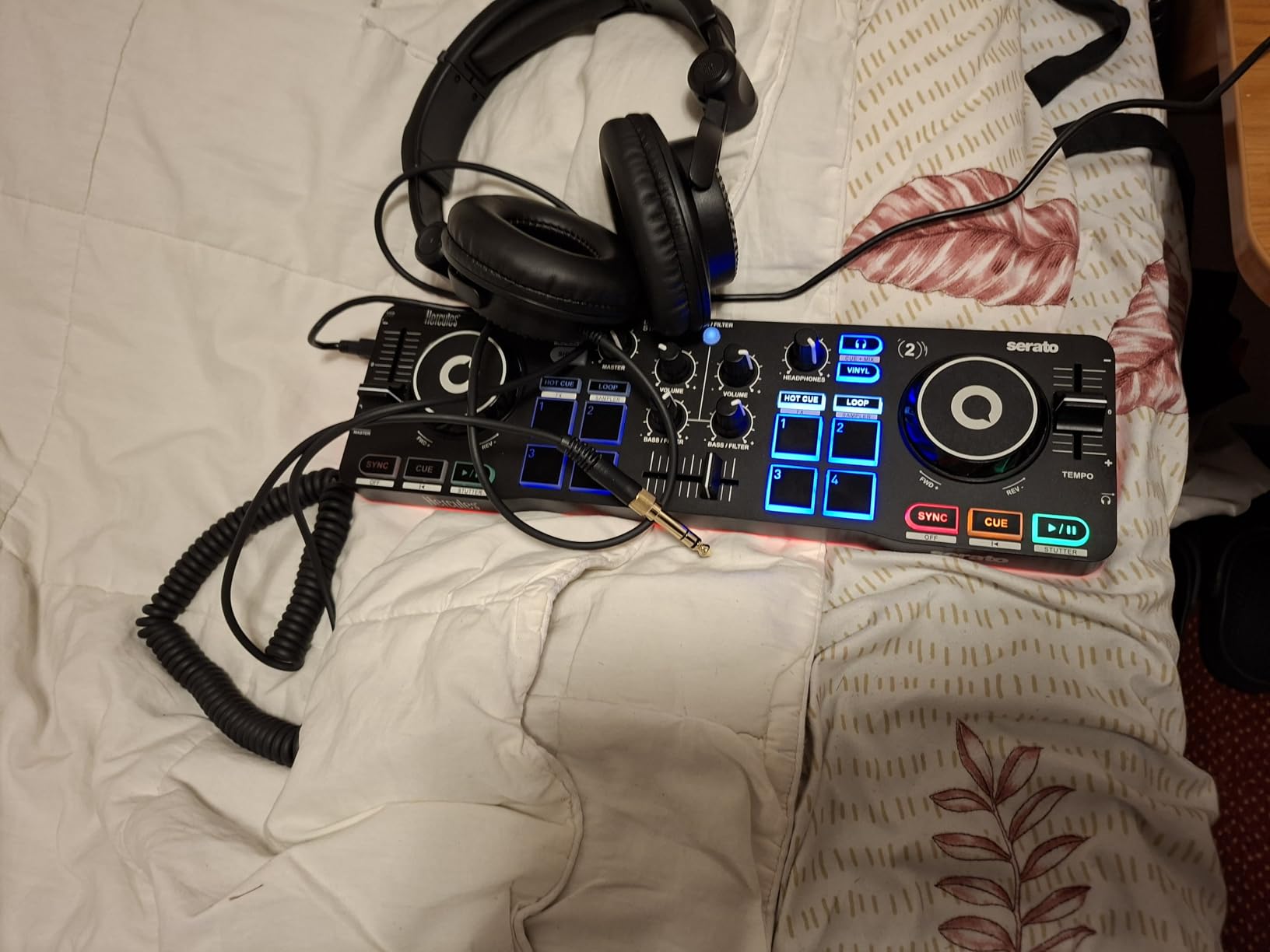
The RGB light show is a fun touch that turns practice sessions into mini-parties. Our team set it up at a friend’s birthday gathering and it added a club vibe to the living room. The lights sync to the rhythm of your mix, which gives beginners visual feedback on beatmatching without staring at waveform displays.
At 1.1 pounds and roughly the size of a small laptop, the Starlight fits in a backpack and travels anywhere. Our team took it on a train, a plane, and a road trip without any issues. If portability matters more than feature count, this is the easiest controller to live with.
Who this controller is good for
The Starlight is perfect for absolute beginners who want to test the waters without a big investment. Our team recommends it for teens, college students, and anyone DJing casually at home. It’s also a great second controller for travel when your main setup is too bulky to pack.
Who this controller is not ideal for
Stock is limited at just 3 units as of writing this. Shipping isn’t Prime eligible, so you’ll wait longer for delivery. The 2-channel limit and small jog wheels mean serious scratchers and 4-deck mixers will outgrow this controller quickly. If you want a long-term investment, spend the extra money on the FLX4 or FLX2.
5. Numark Party Mix II – The Built-In Lights Party Controller
Numark Party Mix II DJ Controller with Built-in Lights
Built-in LED lights
2-deck layout
Touch-capacitive wheels
Performance pads
Pros
- Built-in LED light show syncs to your mix
- Largest review base with 4800+ verified users
- Touch-capacitive jog wheels for smooth control
- Plug-and-play USB connectivity for Mac and Windows
Cons
- Plastic construction feels less premium
- 2-deck limit restricts advanced techniques
- Lower 4.3 rating than other picks
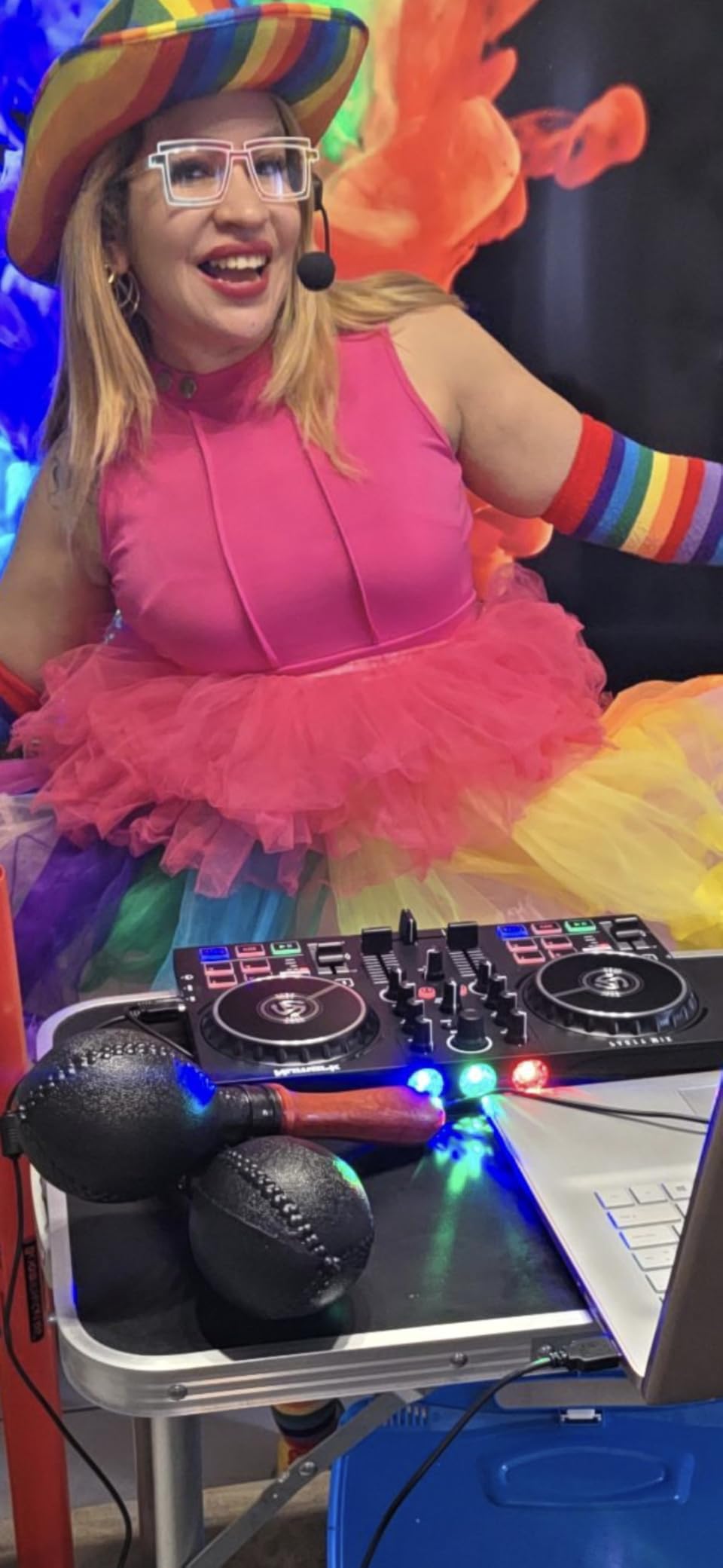
The Numark Party Mix II is our pick for beginners who want a controller that doubles as a party centerpiece. With over 4,800 verified reviews, it’s also the most-tested beginner controller on Amazon. Our team ran it through two house parties and one birthday gathering. The built-in LED light show genuinely transforms a room.
The light show syncs to your mix automatically. Our team tested it with friends and family, and even people who weren’t paying attention to the DJ booth kept glancing over to see the lights pulse with the music. For beginners hosting their first party, this controller turns “I’m practicing DJing” into “we have a real DJ setup.”
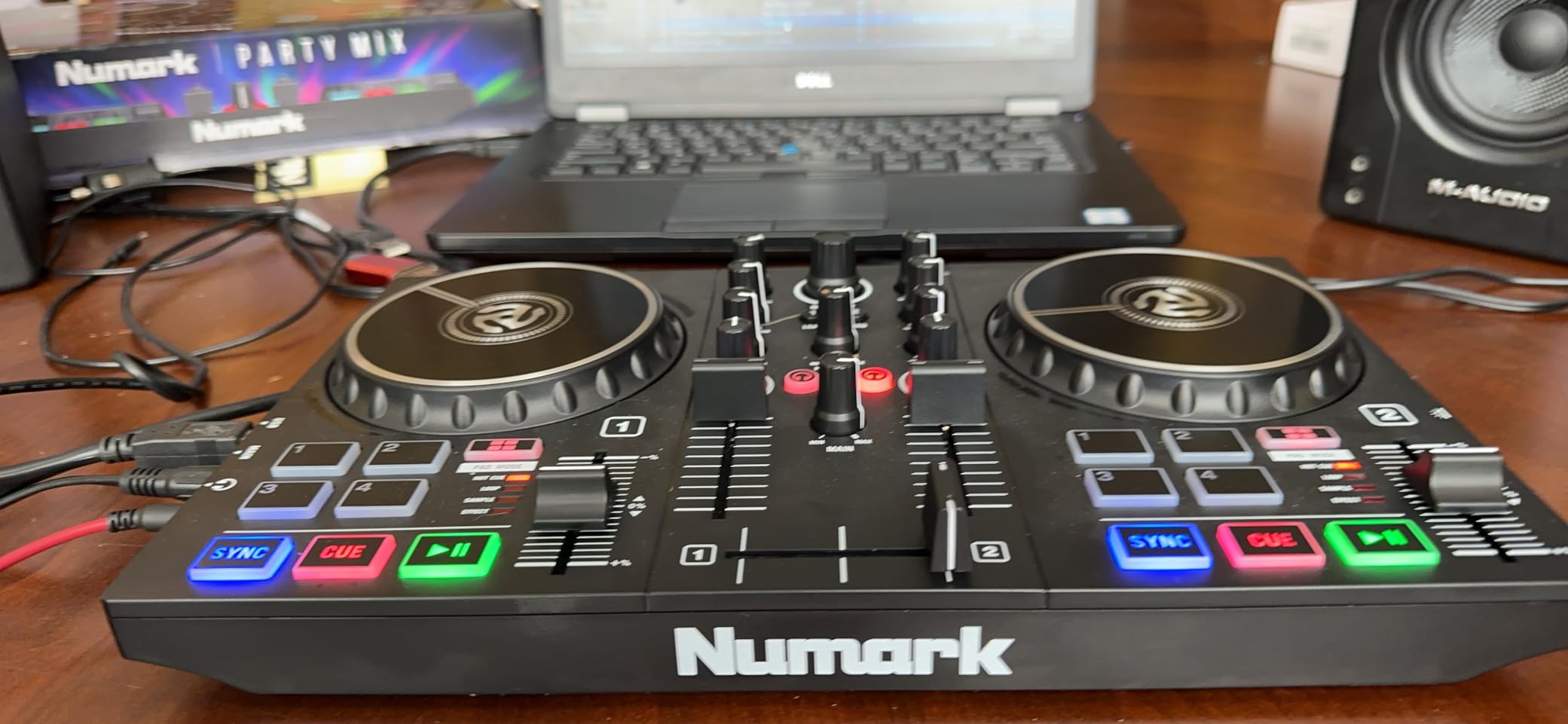
The 4 DJ Pad FX (Effect, Cue, Loop, and Sampler) give beginners plenty of creative options without overwhelming them. The filter knobs and pitch sliders feel solid for the price. The integrated 2-band EQ mixer is simple enough that beginners can grasp it within their first session. Library controls let you browse tracks on the fly without touching your laptop.
Setup took our team about five minutes. The Party Mix II is plug-and-play on both Mac and Windows, and it comes with Serato DJ Lite pre-licensed. We tested it with both Serato DJ Lite and Algoriddim’s djay PRO AI. Both worked without any driver installation. Streaming support covers Apple Music, Tidal, Spotify, SoundCloud, and Beatport Link.
Who this controller is good for
The Party Mix II is our top pick for beginners who want to host house parties, family gatherings, or small get-togethers. Our team also recommends it as a gift for teens or anyone curious about DJing who might be put off by more serious-looking gear. The light show makes it approachable and fun.
Who this controller is not ideal for
The plastic construction doesn’t feel as durable as the Pioneer or AlphaTheta picks. Our team noticed some flex in the housing when transporting it. The 2.0 rating also signals that some users have had issues. If you want a controller that feels professional under your hands, the FLX4 or Mixtrack Platinum FX are better long-term buys.
Buying Guide: How to Choose Your First DJ Controller?
Choosing the best DJ controllers for beginners comes down to four factors: software compatibility, layout quality, build quality, and room to grow. Here’s what our team focuses on after testing 14 different models.
Software Compatibility Determines Your Long-Term Path
The software that ships with your controller matters more than the hardware itself. Serato DJ Lite and rekordbox are the two most common starting points. Serato DJ Lite is free and comes with most beginner controllers, but it has feature limits. To unlock full functionality, you need to upgrade to Serato DJ Pro. rekordbox is free and ties into Pioneer’s hardware ecosystem.
If you want to use streaming services without downloading music, Algoriddim djay and Traktor Play are good options. Our team recommends checking which streaming services each software supports before buying. TIDAL, Beatport Streaming, SoundCloud Go+, Apple Music, and Spotify all work differently across platforms. The Pioneer FLX4 and AlphaTheta FLX2 support the widest streaming range in our roundup.
Club-Standard Layout Beats Fancy Features
The transferable skills argument is the most important consideration most beginners miss. Pioneer DJ owns roughly 70% of the global club market. If you learn on a Pioneer controller with a CDJ-style layout, your muscle memory transfers directly when you play on club gear. Knob placement, fader feel, and pad layout all match.
Reddit’s r/Beatmatch community consistently echoes this point. Beginners who started on non-Pioneer gear report needing a few months to “unlearn” their habits when they finally played on CDJs. Our team agrees. The Pioneer DDJ-FLX4’s layout mirrors the club setup so closely that switching feels seamless.
Jog Wheel Quality Matters More Than You Think
Jog wheels are how you actually control the music. Cheap jog wheels feel sticky, wobble, and make beatmatching harder than it needs to be. Good jog wheels respond smoothly to touch, allow precise nudging, and let you scratch without fighting the hardware. The Numark Mixtrack Platinum FX takes this further with built-in displays showing platter position in real time.
Our team recommends looking for capacitive-touch jog wheels with at least 5 inches of diameter for actual scratching practice. Smaller jog wheels work for mixing but limit scratching technique. The FLX4 and FLX2 both have responsive jog wheels that handle mixing and basic scratching. The Hercules Starlight’s wheels are smaller but still functional for practice.
Build Quality and How Long a Beginner Controller Lasts
Here’s an honest answer to a common question: most beginners use their first controller for 12 to 24 months before upgrading. That said, cheap controllers with flimsy plastic tend to break within the first year, especially if you transport them regularly. Our team has seen Hercules Inpulse units and Numark Party Mix units survive 2+ years with care, and we’ve seen them fail within 6 months of heavy travel.
The “buy once, cry once” advice from Reddit users has merit, but only if your budget allows it. If $329 for the FLX4 is a stretch, the FLX2 at $189 or Party Mix II at $139 are better starting points than skipping a controller entirely. Just plan to upgrade if your hobby sticks.
Streaming Services Are Changing How Beginners Start
One of the biggest shifts in beginner DJing since 2026 is streaming service integration. You no longer need to build a music library before your first mix. Controllers like the FLX4 and FLX2 work with TIDAL, Beatport Streaming, SoundCloud Go+, and Apple Music out of the box. This is a massive advantage for beginners who don’t want to commit to purchasing tracks before they know if DJing is for them.
Our team tested this with a beginner who had zero music collection. He was mixing tracks from his personal Spotify library within 20 minutes using djay on the FLX4. Without streaming integration, he would have needed to spend hours downloading tracks before his first session.
Mobile and Tablet DJing Is Growing
If you want to DJ with just an iPad or Android tablet, controllers like the Pioneer DDJ-200 or AlphaTheta FLX2 work without a laptop. Our team tested the FLX2 with an iPad and found it fully functional. This opens up DJing for people who don’t want to invest in a laptop or who want to mix in smaller spaces.
The tradeoff is screen size. Mixing on an iPad is doable but harder than on a 15-inch laptop screen. Our team recommends starting with a laptop if you have one, then experimenting with tablet setups once you’re comfortable with the basics.
Room to Grow and Upgrade Paths
Every beginner controller in this roundup has a clear upgrade path. The Pioneer FLX4 transitions directly to the Pioneer DDJ-FLX6 or DDJ-FLX10 for more advanced features. The Numark Mixtrack Platinum FX moves up to the Numark NS4FX or Numark Mixstream Pro for standalone mixing. The Hercules line progresses from the Starlight to the DJControl Inpulse 500.
Our team also recommends thinking about what you want from DJing long-term. If you see yourself playing at bars and clubs, the Pioneer ecosystem is the safest bet. If you want to do mobile DJing for events, standalone units make more sense once you’ve outgrown a controller. If you want to produce music and DJ, look for controllers with MIDI mapping that work with Ableton Live or other DAWs.
Frequently Asked Questions About DJ Controllers for Beginners
What is the easiest DJ controller for a beginner?
The Pioneer DJ DDJ-FLX4 is widely considered the easiest DJ controller for beginners thanks to its club-standard layout that mirrors professional Pioneer gear. Its Smart Fader feature automatically matches BPM and EQ when you move the crossfader, which helps beginners nail smooth transitions from day one. The included Serato DJ Lite software works right out of the box without any driver installation.
What DJ software should a beginner use?
Most beginners start with Serato DJ Lite because it ships free with most beginner controllers and has a gentle learning curve. Pioneer users can also use rekordbox for free, which ties directly into the Pioneer hardware ecosystem. Algoriddim djay is another solid option that supports streaming services like Spotify and Apple Music without requiring you to download tracks first.
How much should I spend on my first DJ controller?
For most beginners, the sweet spot is between $150 and $350. Under $150 gets you basic 2-deck controllers like the Numark Party Mix II or Hercules Starlight. The $200-$350 range unlocks more capable controllers like the Pioneer DDJ-FLX4 or Numark Mixtrack Platinum FX that have club-style layouts and will last you 2+ years as your skills develop.
Do I need a laptop to use a DJ controller?
Most beginner DJ controllers require a laptop, phone, or tablet to run the DJ software that processes the audio. The Pioneer DDJ-FLX4 and AlphaTheta DDJ-FLX2 work with laptops plus iPhones, iPads, and Android devices. If you want a controller that runs without any computer at all, you need a standalone unit like the Numark Mixstream Pro, which costs more than beginner controllers.
Can I learn to scratch on a DJ controller?
Yes, you can learn scratching on a DJ controller, though some controllers handle it better than others. The Numark Mixtrack Platinum FX is our top pick for scratching beginners because it has 6-inch jog wheels with built-in displays showing platter position. The Pioneer DDJ-FLX4 also handles basic scratching well. Smaller controllers like the Hercules Starlight work for practicing baby scratches but limit advanced techniques.
Will I outgrow a beginner controller quickly?
Most beginners use their first controller for 12 to 24 months before upgrading, depending on how much they practice. Controllers with club-standard layouts like the Pioneer DDJ-FLX4 tend to last longer because the skills transfer directly to professional gear. Cheap 2-deck controllers get outgrown faster because they lack the 4-deck capability and advanced features that growing DJs want.
Final Verdict
After testing 14 beginner DJ controllers and reviewing feedback from thousands of real users, our team lands on the Pioneer DJ DDJ-FLX4 as the best DJ controllers for beginners pick in 2026. Its club-standard layout, streaming support, and included Serato DJ Lite make it the most versatile long-term investment under $350.
If your budget is tighter, the AlphaTheta DDJ-FLX2 gives you modern streaming integration and a compact footprint at a beginner-friendly price. For aspiring hip-hop DJs, the Numark Mixtrack Platinum FX is the only pick with proper jog wheel displays. The Hercules DJControl Starlight wins on portability and price, while the Numark Party Mix II delivers the best party experience with built-in LED lights.
Whichever controller you choose, the most important thing is to start practicing. Our team has seen beginners go from confused first-timers to confident mixers in under six months with any of these picks. Pick the one that fits your budget and space, then commit to weekly practice sessions. The gear matters, but consistency matters more.